Tag: lecture

Week 7 – User Interface Visual Design Patterns

Reflection

The user interface works closely with user experience to join together to create a more well-rounded and sophisticated website and user experience. The term is used to explain how the user and a computer system interact.

There are 4 main navigation patterns and they are 

Tabs: Navigation and module tabs. Tabs help separate information into sections and is accessible in a navigation system.

Menus: Horizontal dropdown, vertical dropdown, vertical dropdown. Used to help user navigate through sections. Useful when there is limited space on the page, creates less clutter.

Content: Carousel, Event Calendar, Article list. These are used to save space on a page and to lessen clutter.

Jumping in hierarchy: Shortcut dropdown, Fat footer, Home link and Breadcrumbs
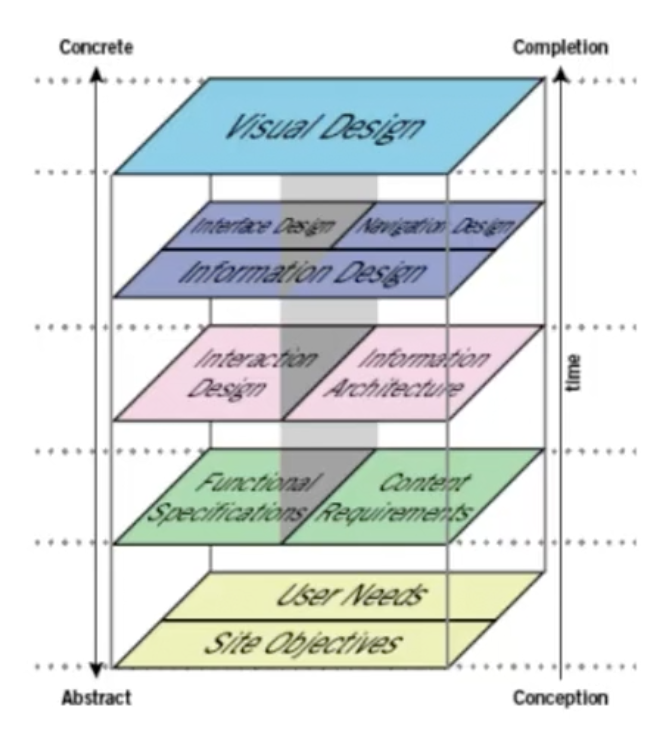
Week 6 – User Scenarios

Notes

  • User scenarios are the stories your personas act out.
  • Can predict how certain users (shown by your persona) will interact with your design.
  • Allow you to test site structure before it fully made and allows you to spot mistakes.
  • Highlights the motivation of the user.

Reflection

During this lecture, I learnt how important user scenarios are in building a product that is suitable for a target audience. I have a deeper understanding of how personas and user scenarios interact with each other to create a more well-rounded and successful design. The user scenarios include information about the user’s motivations, goals, expectations, and their actions and reactions. This information helps to reflect on the way a system is used in the context of a person’s individual life. Combining scenarios and personals we are able to gain context of our product and can create a more solid foundation of our design before we go forward and develop the specific design.

Week 5 – Personas

Notes

  • User personas used since the mid 1990’s
  • Used to inform and validate our design and user experience
  • Usually synthesised from data gained from interviewing users, with added fictional details to make a complete person
  • One primary persona should be made to encompass all users
User personas include:
  • Age
  • Sex
  • Occupation
  • Hobbies
  • Likes/dislikes
  • Other details relating to the product: behaviour patterns, goals, skills, attitudes, environment, context
  • The persona helps design with an idea for your user base in mind and what they would want and need.
  • Depending on the process more or less personas can be used 
  • Small user bases can lead to more specific personas
  • Mental models illustrate how the user will approach a particular problem, you’re creating a bad experience if you don’t use these models
Product personality questions
  • If the interface were a person, what would she or he be like?
  • How would you expect users to react when they first view the product?
  • How would you describe this product to a friend?
  • How is the product different from competitive products?
  • Which celebrity (or car, movie, etc.) Is the product most like?

Least like?

Why?

Reflection

This lecture went over the importance of personas and emphasised that they are one of the foundation steps in the design process and is needed to continue driving the process forwards. Personas give the designer the ability to picture how the consumer would use their product, thus making it easier to plan out an interface that will suit the needs and lives of the target audience.

I did not know what mental models were before watching this lecture and I learnt how they impact the design process as they are the thoughts people have in regards to an idea or activity. Combining the use of personals and mental modes a designer will be able to make a better more suitable product for their target audience.

Week 4 – Instructional Design

Notes

  • How to “do something”, or to explain how something works.
  • Instructions are interacted with daily, etc ticket machines, parking machines or using dishwashers.
  • Poorly designed instructions make the experience infuriating for the user
  • Image design instructions are simple but not as helpful but gets rid of the language barrier.
  • Working memory refers to how we manipulate information stored in our short term memory, is a key executive function. It is limited.
  • Splitting information up will overload the memory and make reading the instructions overwhelming
  • Photography can often have too much detail and information to work well in instructions, it is hard to distinguish what is most important.
  • Simple graphics can highlight the most important details, colour often also helps with this.
Kinds of interaction (screen based experiences)

– instruction – by clicking buttons

– conversation – back and forth dialog

– manipulation – drag and drop elements

– exploration – open, playful, game like

Reflection

I learnt during this lecture that instructions are ingrained more in our life than I had previously thought and how the layout and style of illustration is able to completely change how our brain is able to process and retain the information, this also taught me how working memory works and that the process for designing instructions is much more in-depth and more important than it seems.