Tag: Class Work

Group Precedent

Every Last Drop

http://everylastdrop.co.uk

What is the interactive about?

–          This interactive website informs people about how much water is wasted daily

–          Includes ways to reduce the amount of waste being made

–          Provides short yet informative points (gets straight to the point)

–          Places emphasis on why “every last drop” counts

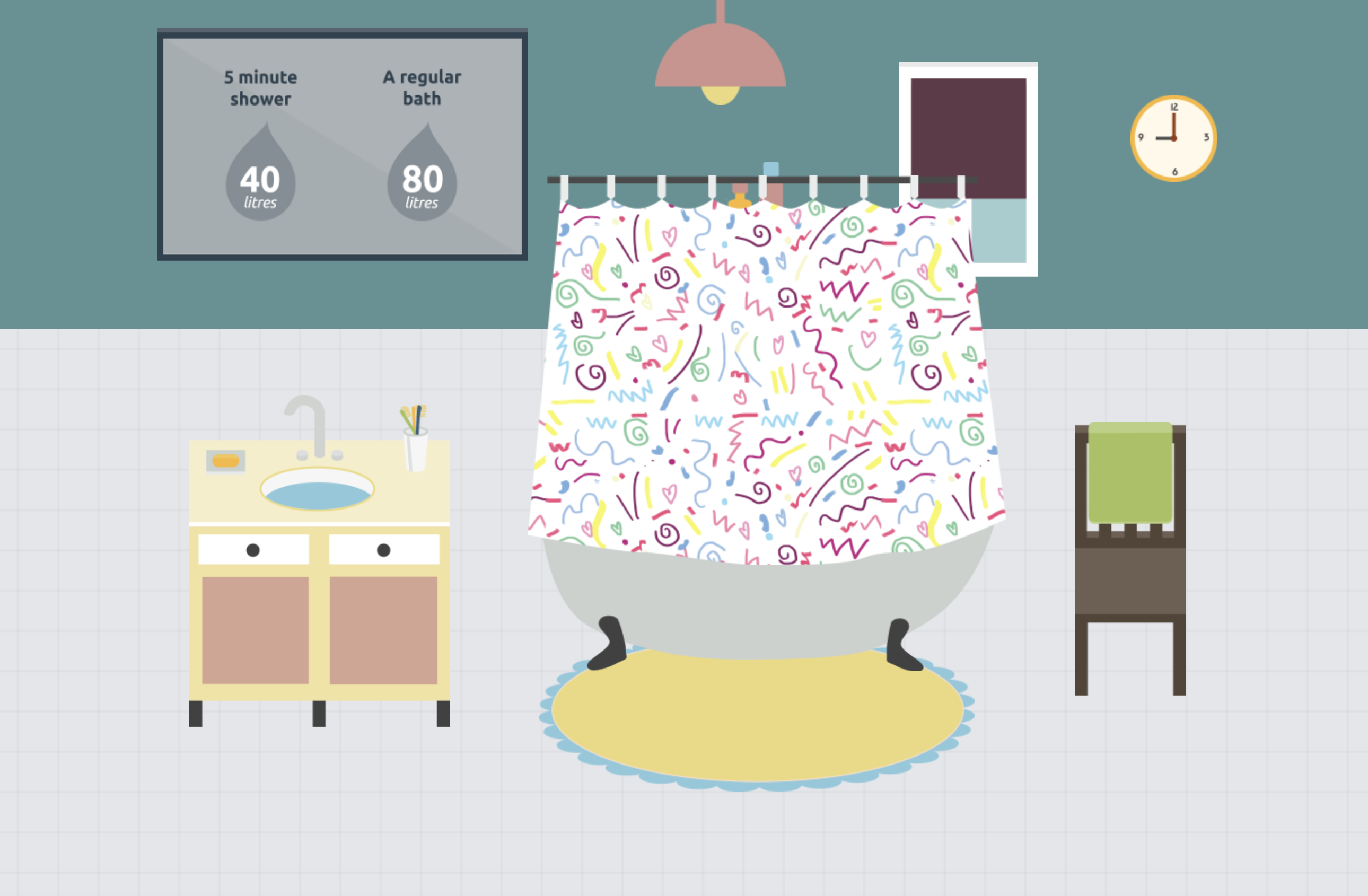
–      Informs that water isn’t just wasted on showers or washing the dishes, but is also wasted in other areas in our  lifestyle – water is wasted depending what brand of clothes you buy or even the type of food you eat.

Who is it designed for? (Target Audience)

–        The website is designed for any age as the text is only of a few words and the interactive animation visually helps the audience to understand the fundamental points of water waste.

–    particularly useful for a younger audience as the colours and simple illustrations help convey the meaning in a clear and interesting way. Though it’s combination of illustration and factual text makes it a useful website for all

What knowledge does it assume of the target audience i.e. digital literacy?

  • They assume the audience is able to read
  • Have access to a computer and be able to correctly use it
  • The knowledge of what an average morning routine looks like

Describe the type of user interactions, and the user interface.

–          User must scroll down the page to see the sequence of information being portrayed

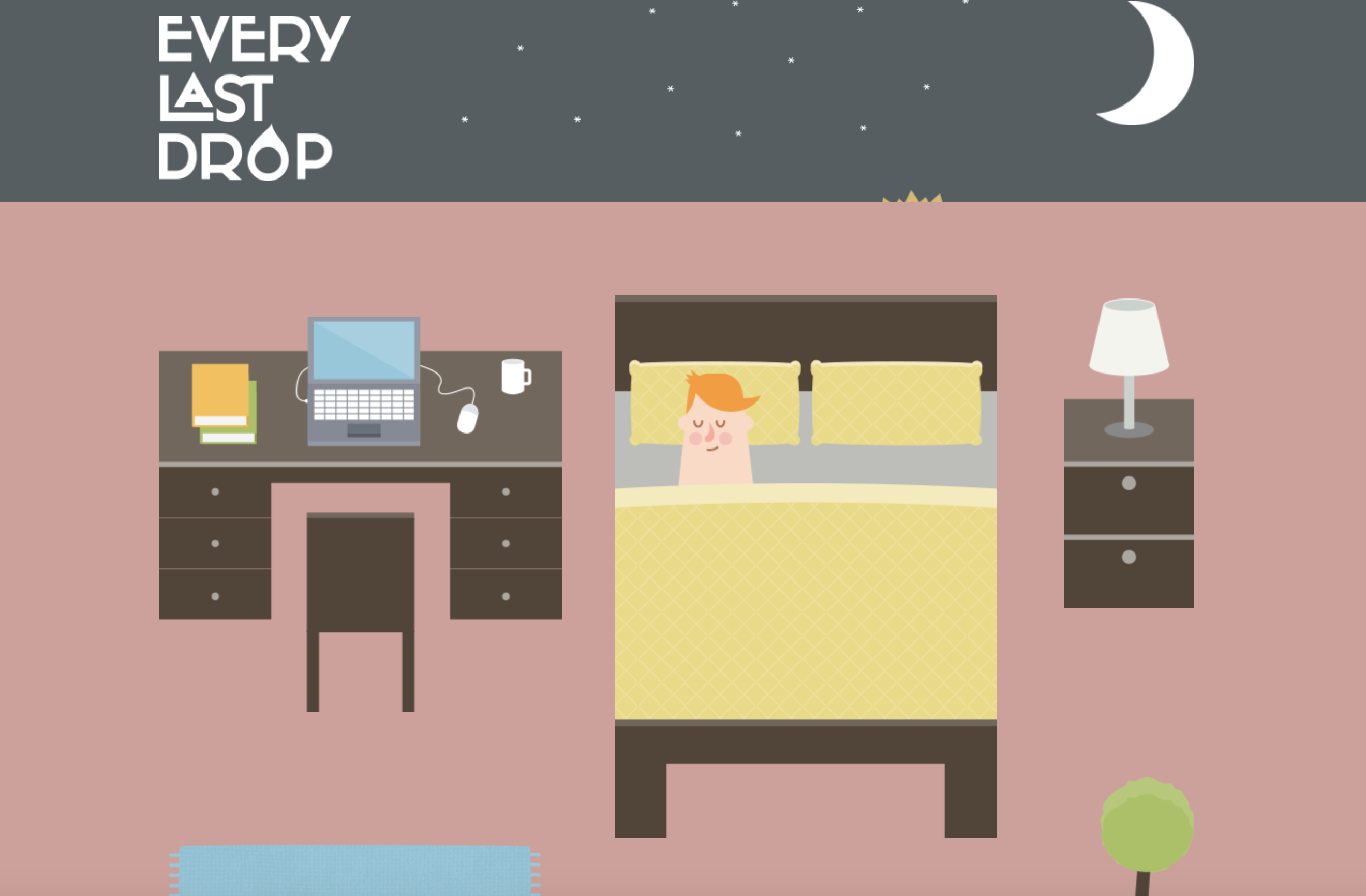
–      Each time the user scrolls down the page animations from a scene disperse and then form together to create the next scene

What can you say about the visual design – layout, colour, and typography? How would you describe the style?

–          The style of this website is heavily made in an illustrative style, or cartoon like animation as the objects created are very simple

–          The layout is user friendly on all devices. The layout is also very simple as the user only interacts with the website by scrolling

–          The colours are vibrant and fun, making it interesting to look at and appealing to the eye.

–          The typography is simple and easy to read. The typography changes with each scene to suit the environment

What improvements would you suggest?

–         A clearer understanding of how to navigate through this website, i.e.  a more striking and noticeable arrow or sign directing the user to scroll down.

–    Improvement would be having an introduction or brief story into what the user is about to be reading

–    The facts could be expanded and more information about how and why so much water is lost

–    Provide the user with a deeper understanding as to why it is so beneficial. I.e what are the long term impacts of wasting so much water?

–  more specific information could be added to teach the audience how to lower their water usage
Week 6 – User Scenarios

Notes

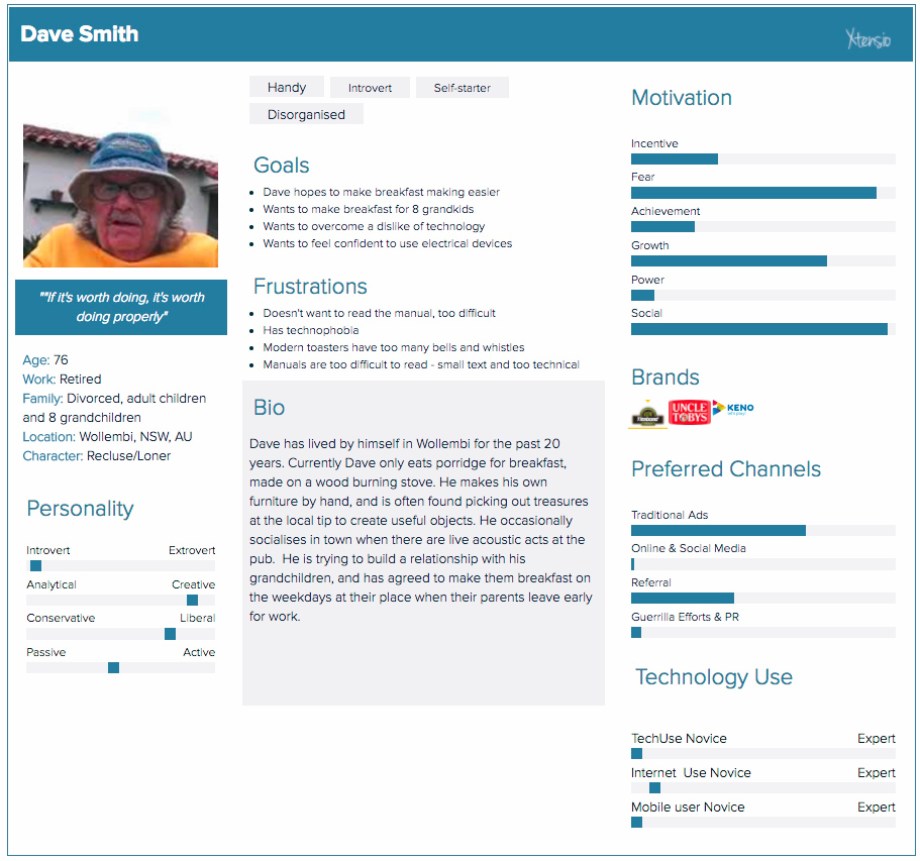
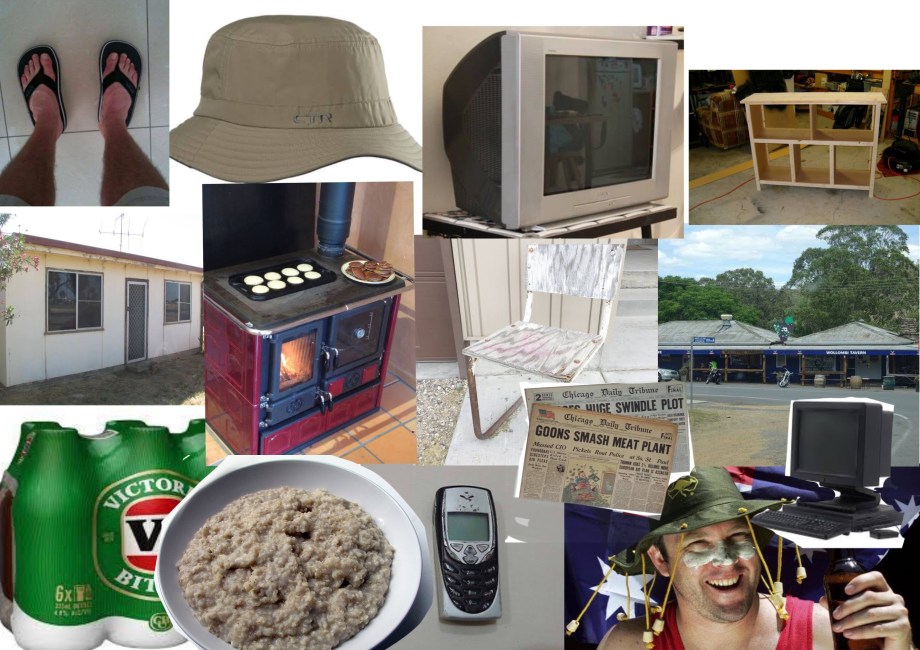
  • User scenarios are the stories your personas act out.
  • Can predict how certain users (shown by your persona) will interact with your design.
  • Allow you to test site structure before it fully made and allows you to spot mistakes.
  • Highlights the motivation of the user.

Reflection

During this lecture, I learnt how important user scenarios are in building a product that is suitable for a target audience. I have a deeper understanding of how personas and user scenarios interact with each other to create a more well-rounded and successful design. The user scenarios include information about the user’s motivations, goals, expectations, and their actions and reactions. This information helps to reflect on the way a system is used in the context of a person’s individual life. Combining scenarios and personals we are able to gain context of our product and can create a more solid foundation of our design before we go forward and develop the specific design.

Week 3 – Design Patterns

During this lecture I learned that more and more, designers are being encouraged to begin their web designs with mobile first because it becomes difficult to make a large design for web and then scale it down so it is able to fit the mobile size. Another point I found interesting is how many websites nowadays are beginning to look similar to each other because of how web has evolved and how the viewer now uses the web, these changes end up causing designers to use a common interface pattern to suit the times.

The many type of design patterns include:

  • The hamburger menu: a button made up of three horizontal lines, usually placed at the top of the page.
  • Long/endless scroll: useful for not breaking up information and is better for storytelling.
  • Card layout: condensed webpage with cards showing content to the user that can be clicked on to receive more information. This is a popular design most notably showcased in places such as Instagram and Pinterest.
  • Responsive design: a design that moves with the size of the webpage.

Week 2 – Process + Context

Process

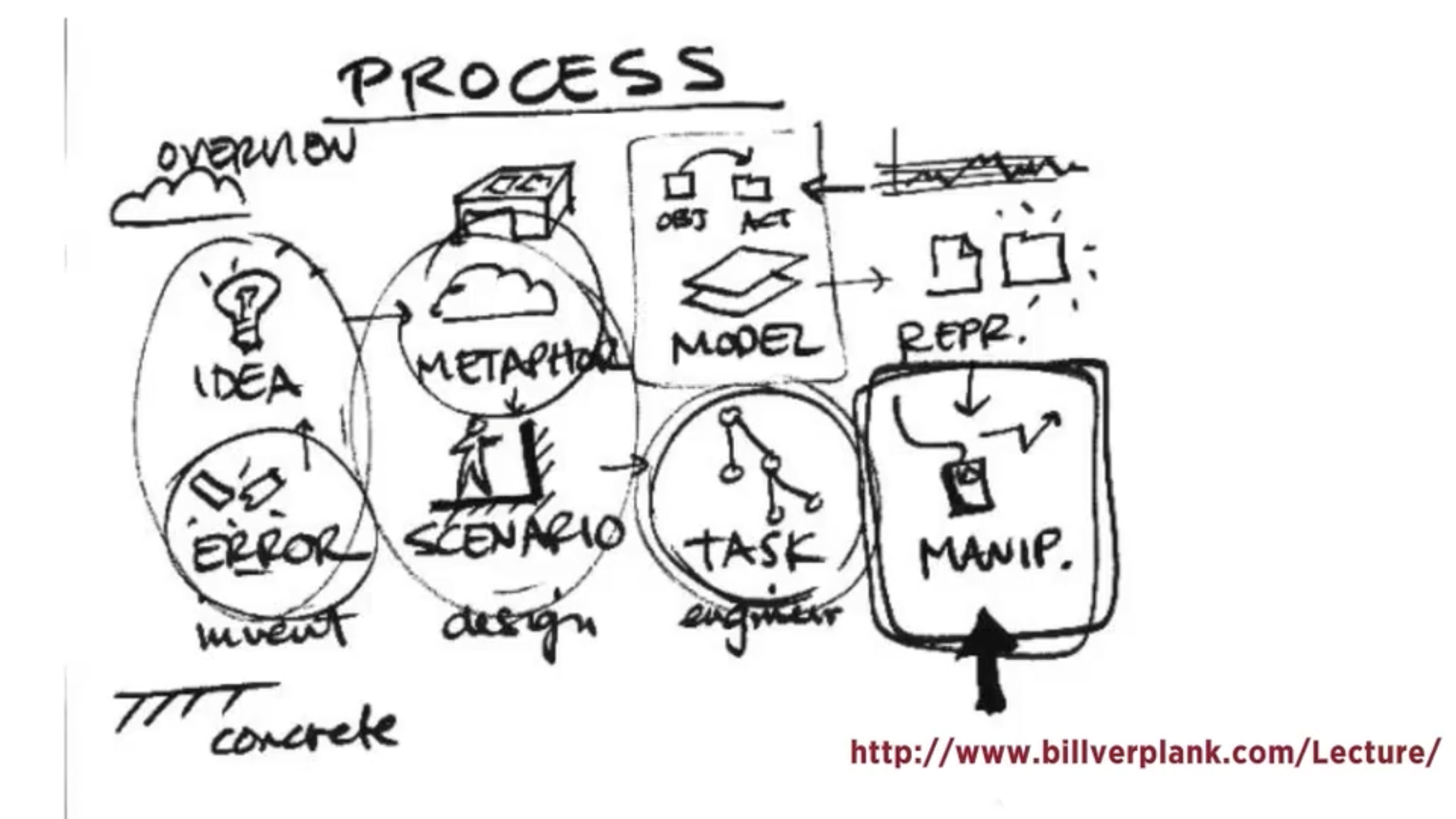
For process the lecture goes to show an 8 part process as depicted in the diagram provided

This process is used for the designer to go through the stages of inventing, designing and engineering their product.

During the design process low tech designed and ideas are extremely important; these are sketches and drawings that can be on anything from paper to sticky notes and they are used to begin fleshing out your ideas before anything goes onto a computer. Making clear digital prototypes will always be an extremely important step of an interactive design project but traditional sketching will always have its place in the process and combining the two leads to a better overall finished prototype.

Context

Context includes the context for use and the context of use when creating an interactive project.

As designers we need to be able to understand what people are trying to do, how they may try to do it, what gets in the way or helps and where they might be doing it. This pod gives examples for these processes and the different contexts for and of use and is then further explained how different design solutions could be used for the context scenario. This allows for interaction design solutions to facilitate their behaviour.

Week 1 – Introduction to Interactive Design

Lecture 1 – introduction to interactive design

– Interaction and interactive design from a broad perspective

– Button, links, form fields etc are a part of interaction design

– Graphic designers should be able to perform basic interaction design for clients

– Key questions of designing interaction for users: how to you do, feel and know

– Perception on screen and not are vastly different from each other.

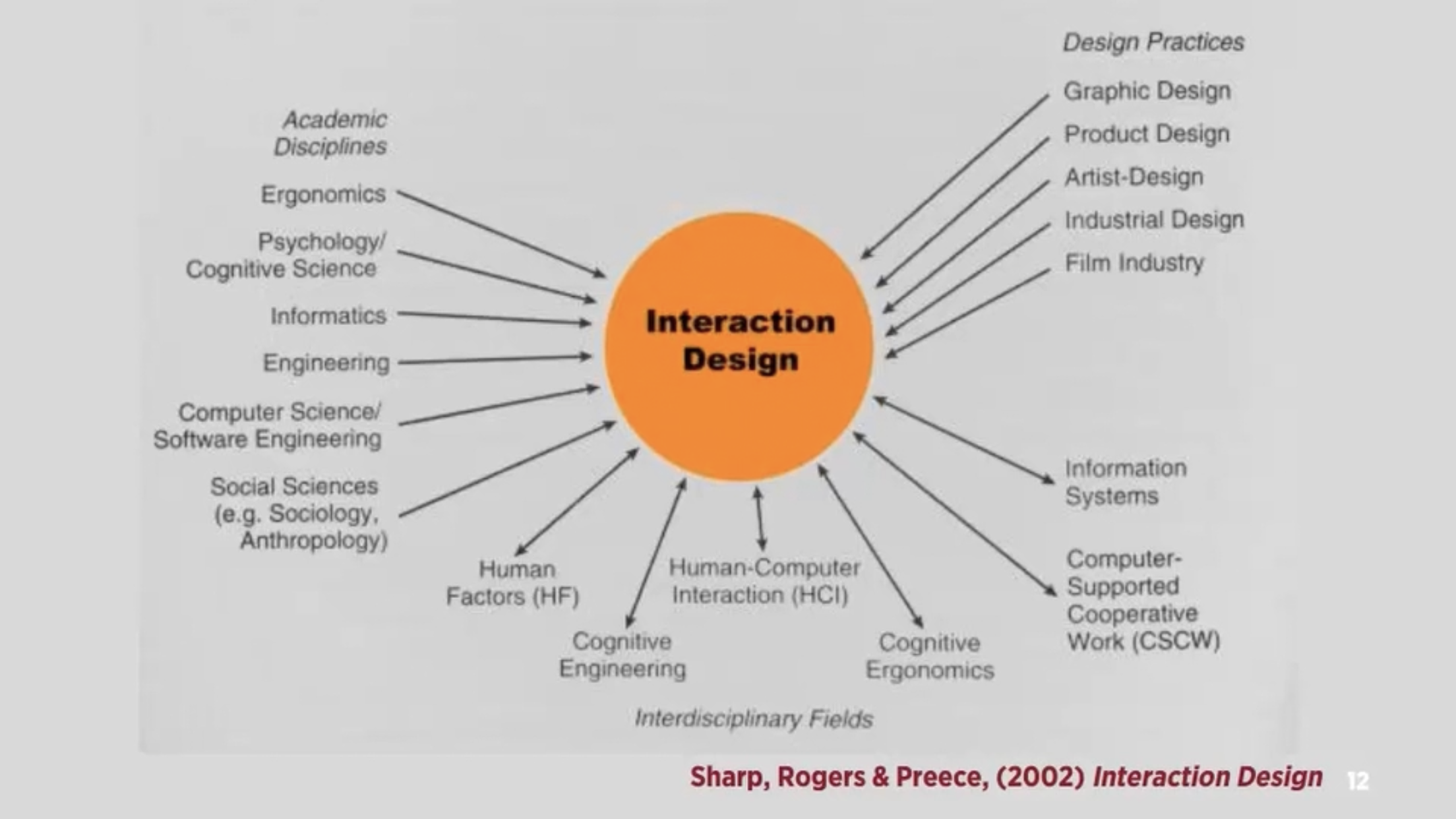
– Interaction design: “designing interactive products to support people in their everyday and working lives” – sharp, Rogers and Preece

”the design of spaces for human communication and interaction” – winograd

Interactivity

How we think of the word

– Of or relating to a program that respond to user activity (computer science)

– Working together so the total effect is greater than the sum (2 or more)

– Capable of acting on or influencing each other

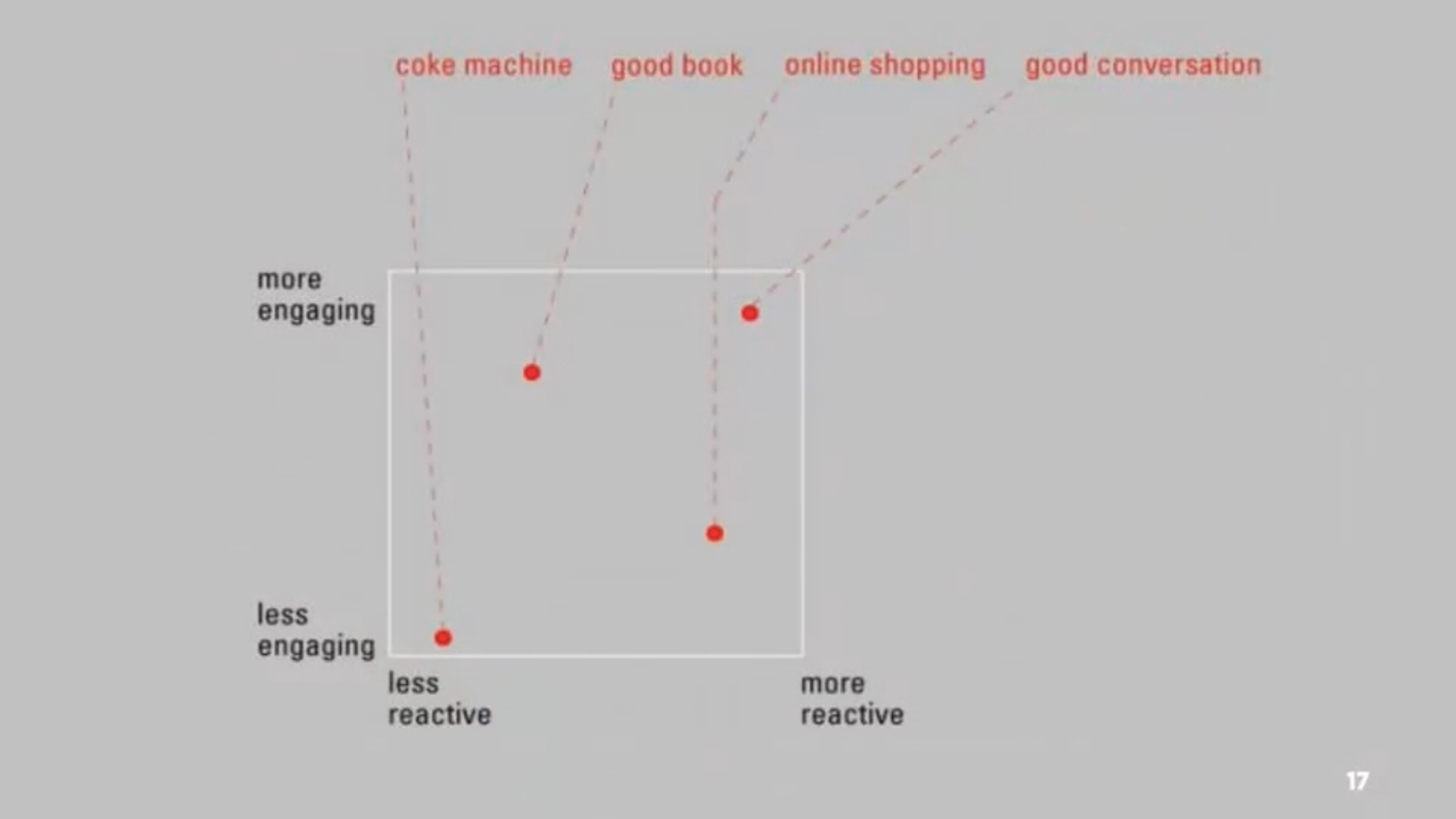
– Interactions can be vastly different from reading books, using vending machines and having conversations

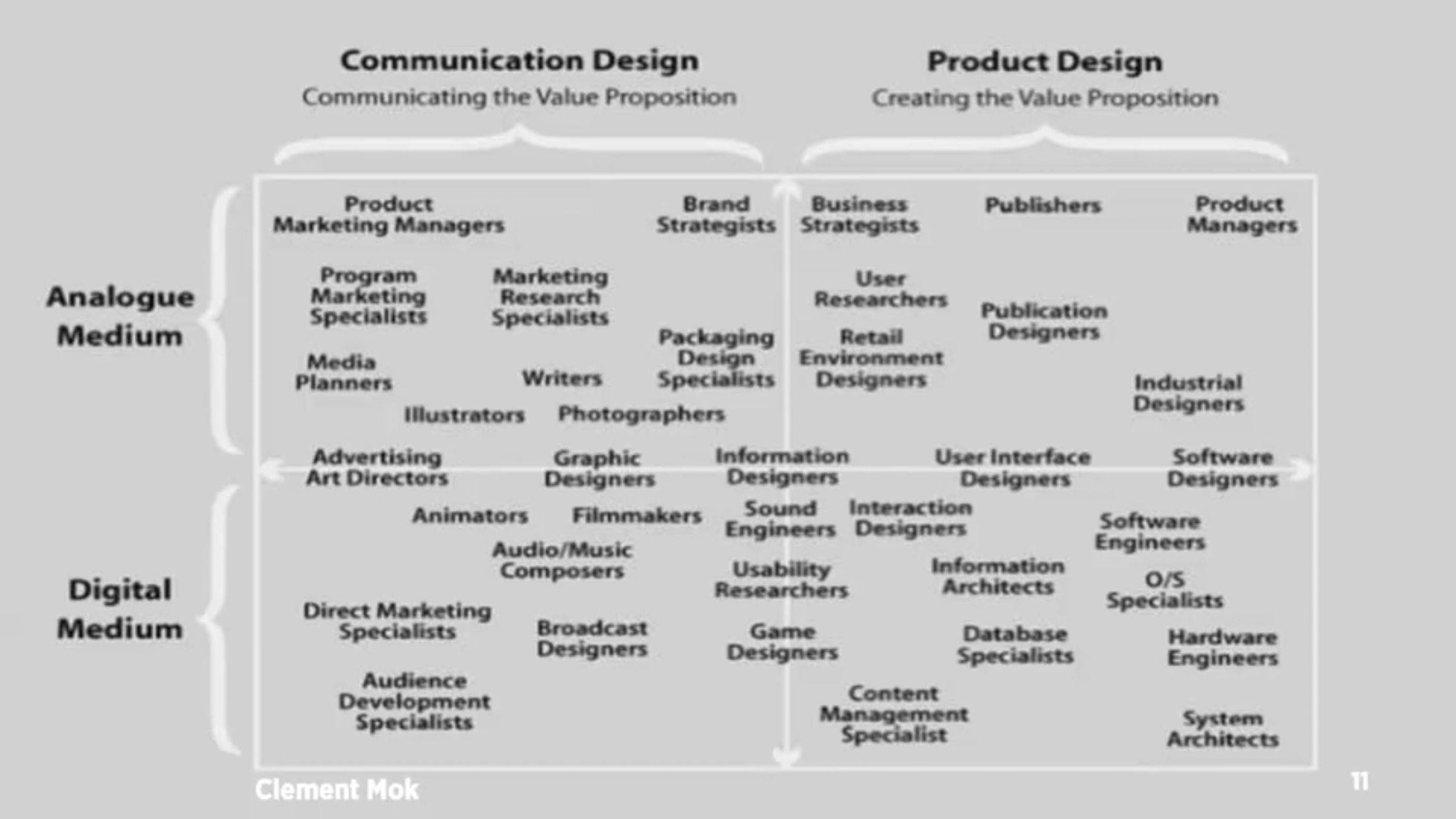
– Diagram 3 – maps 4 different interactions with their ability to interact to us

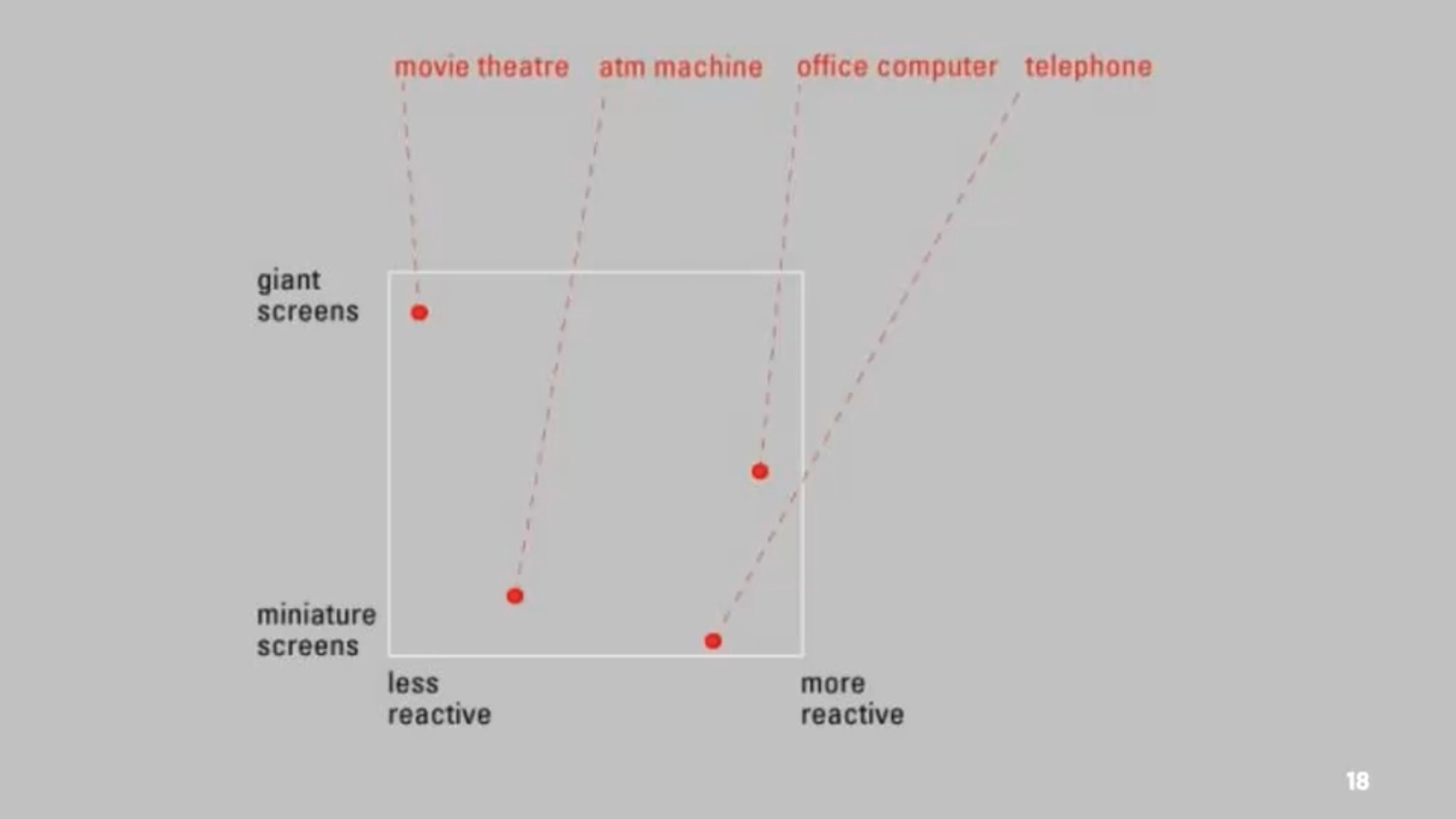
– Diagram 4 – different interactions and how screen size effects their ability to interact with us

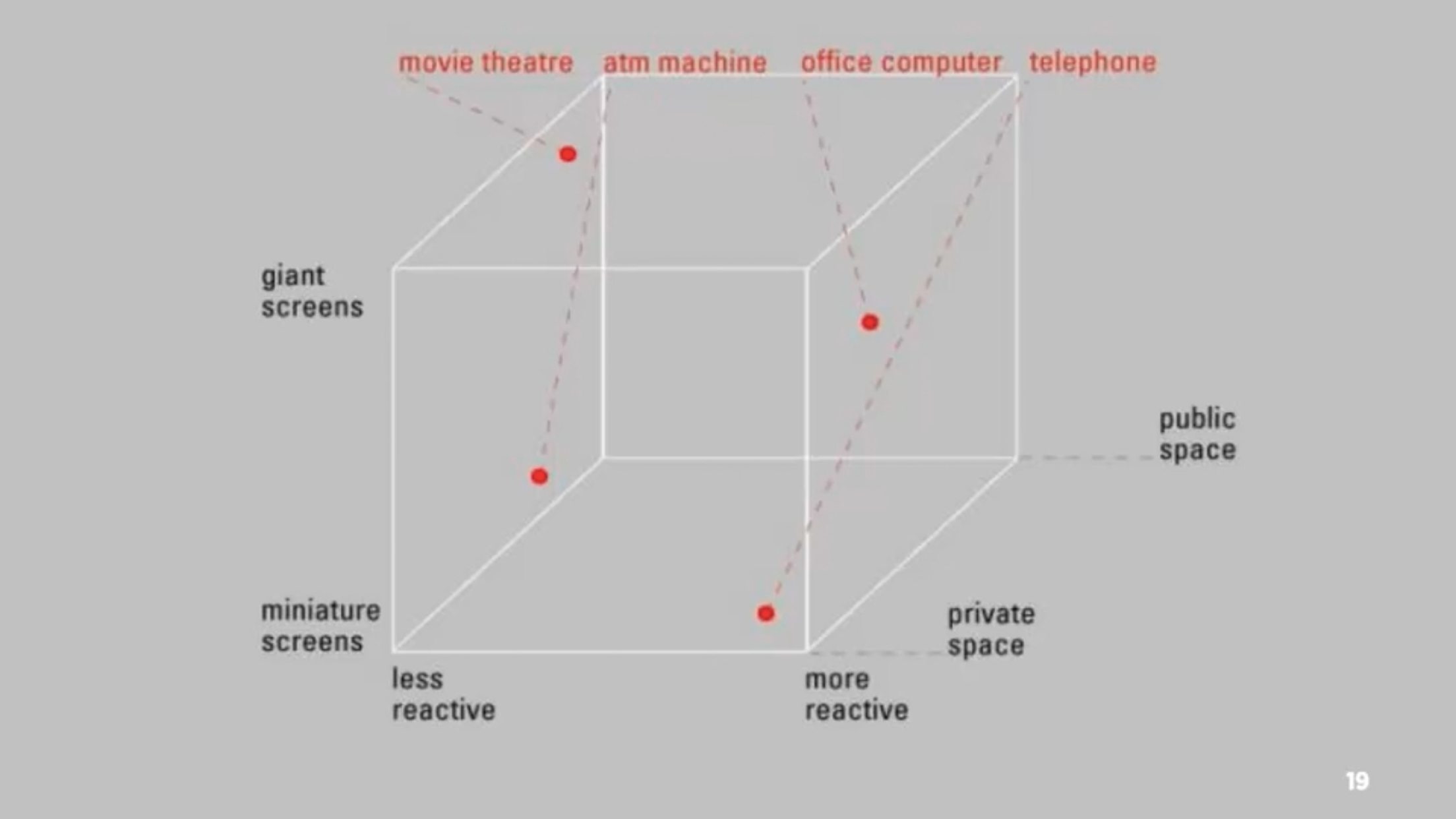
– Diagram 5 – adding public and private space to the previous diagram

– Many movies create amazing passive experiences but have little to no interactivity, whereas things such as stories or games allows for interactivity when the player progresses

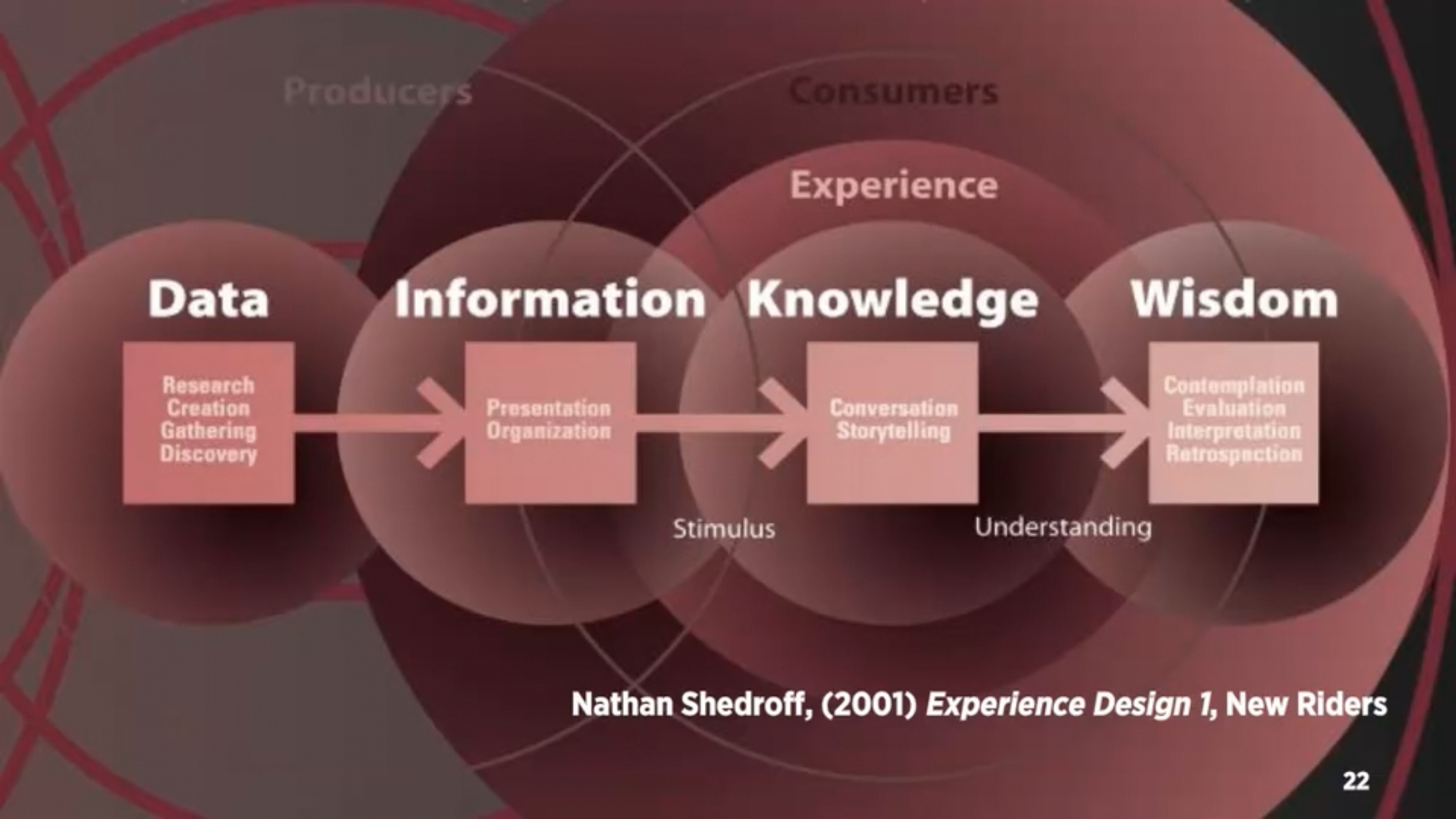
– Diagram 6 – experience design

– Data becomes meaningful information when it is organised and presented

– Must first understand your audience, what their needs and expectations are before you are able to create meaningful experiences

– Interactive media is not about information, it’s about experience. But to create these experiences we need to understand the information and structure.

– Five key design areas of interaction design: interactivity, information architecture, time and motion, narrative, interface

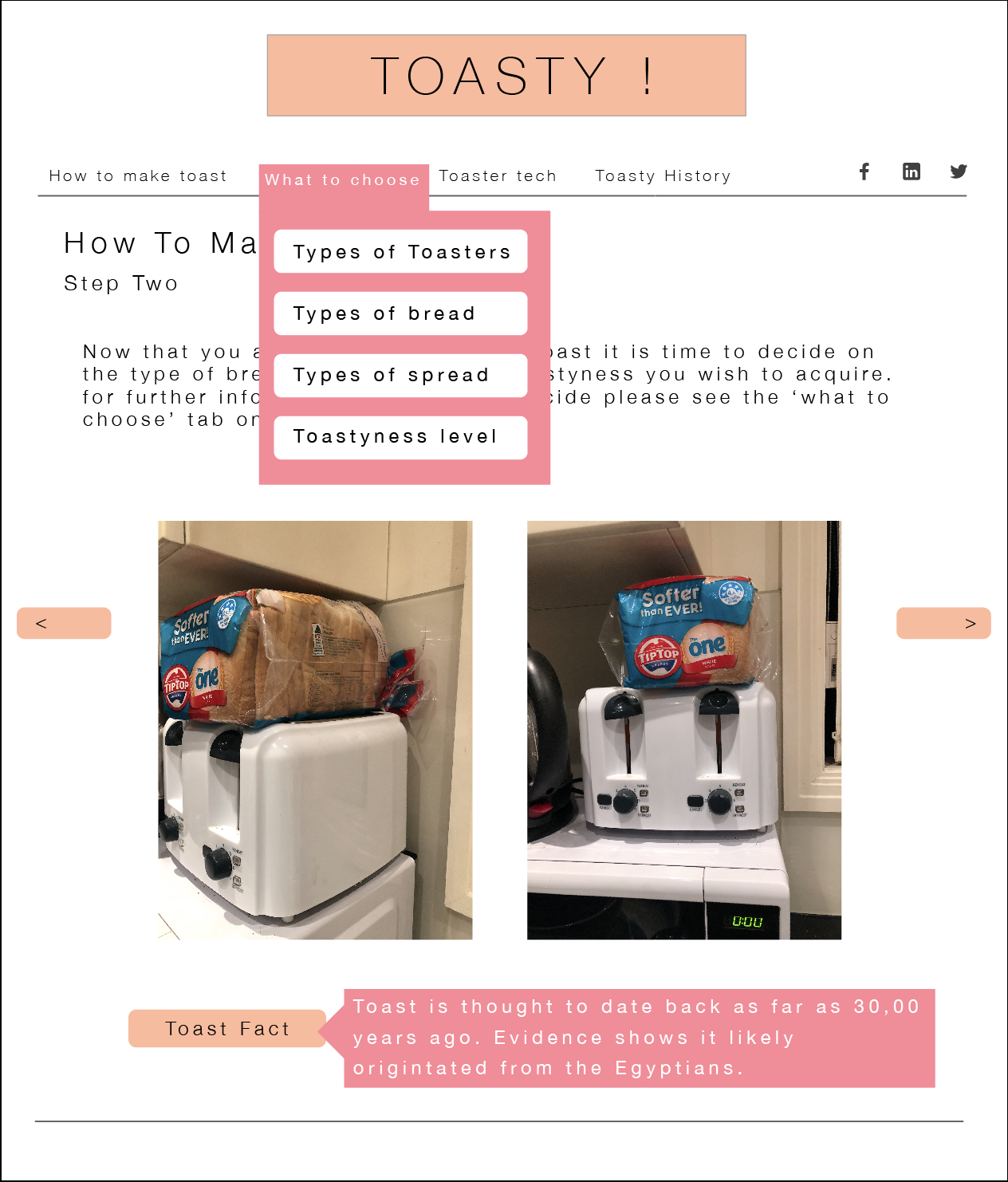
How to make toast

Text Instructions

  • Plug toaster in.
  • Grab slice(s) of bread.
  • Put bread in toaster.
  • Twist toaster dial for desired darkness.
  • Push down the lever to lower bread into the toaster.
  • Wait for toaster to spring up toast.
  • Check to make sure toast is correct toastyness.
  • If it is toasty enough continue onto next steps or repeat previous steps.
  • Place freshly made toast on a plate.
  • Add your choice of topping.

Flowchart Instructions

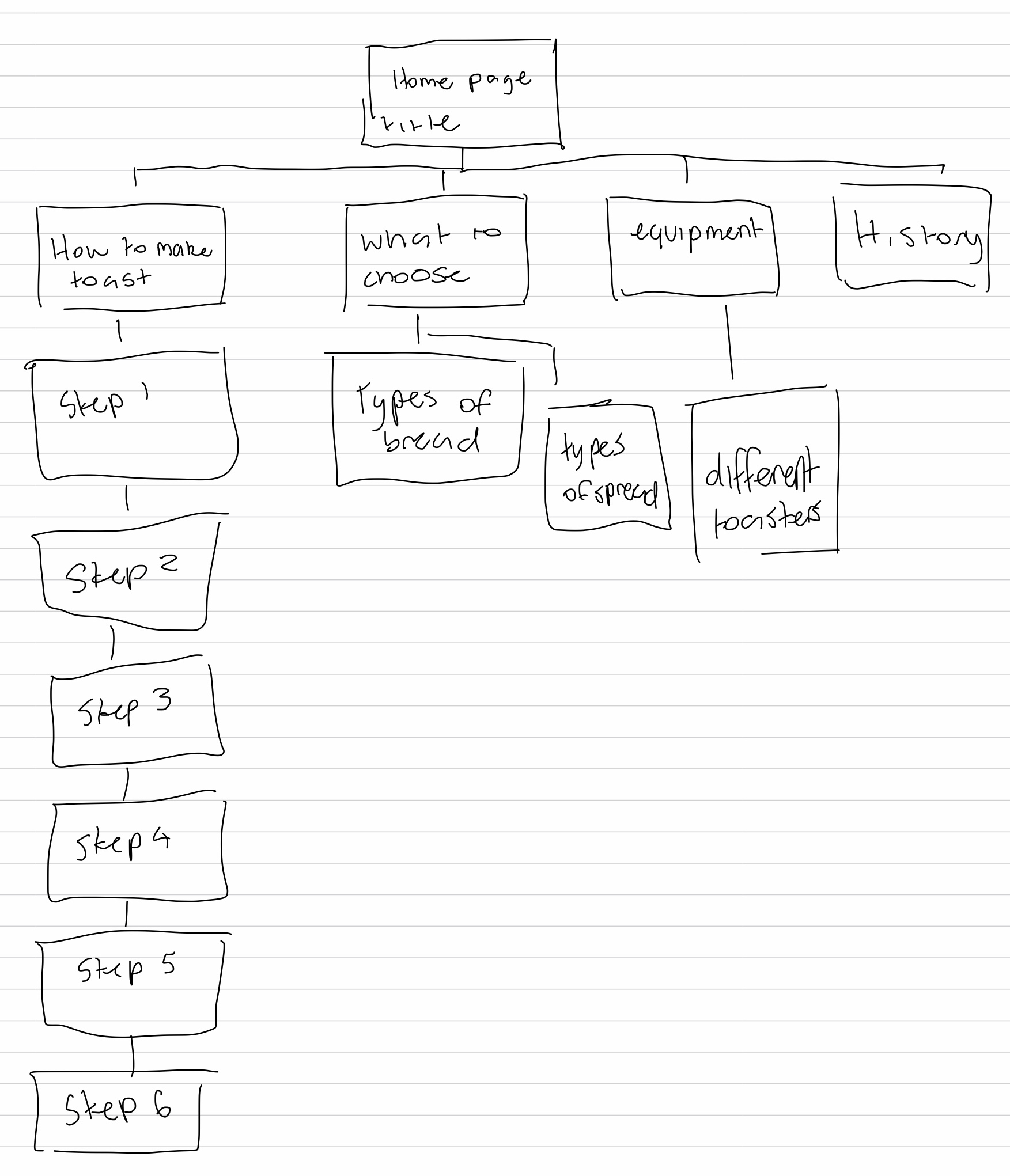
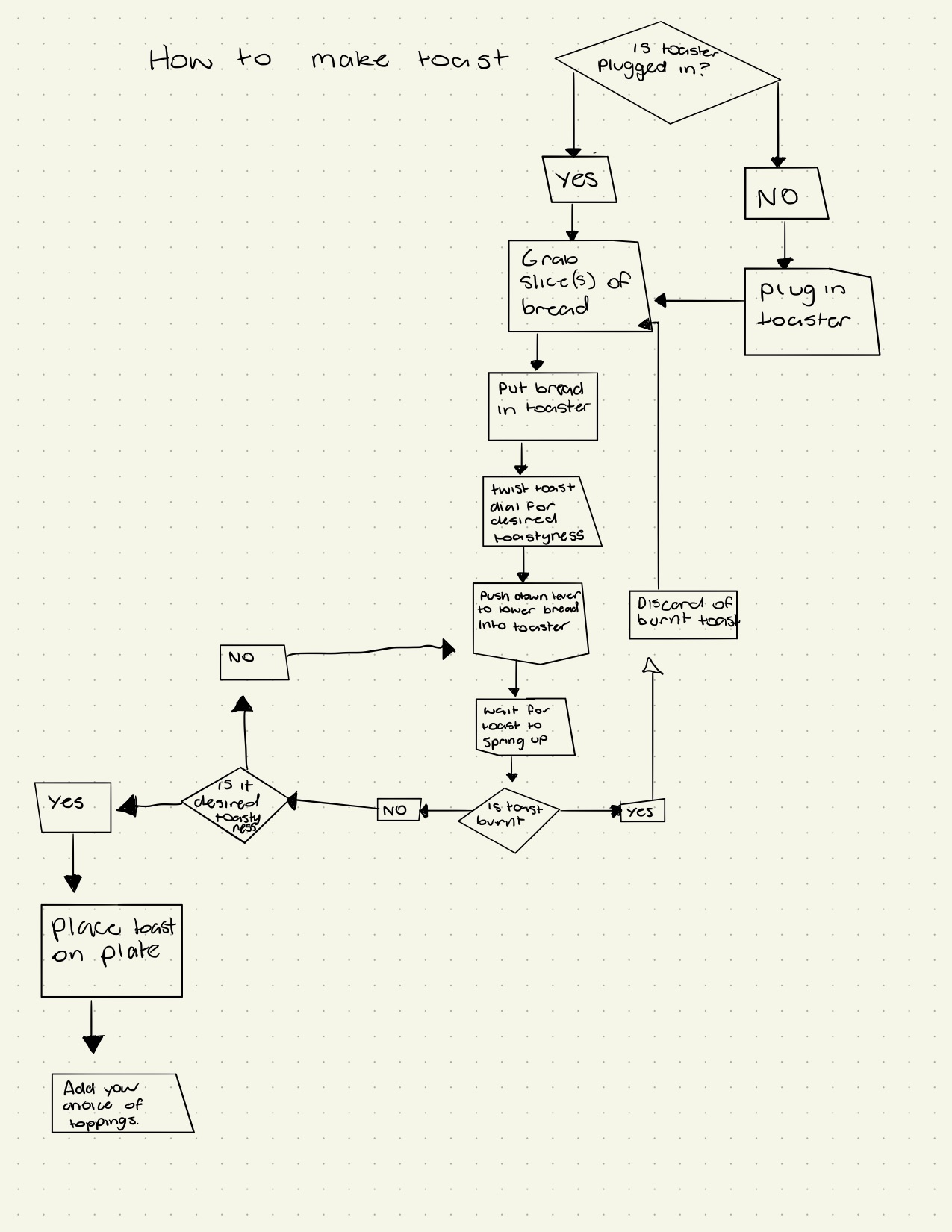
A flowchart going through the steps on how to make toast.

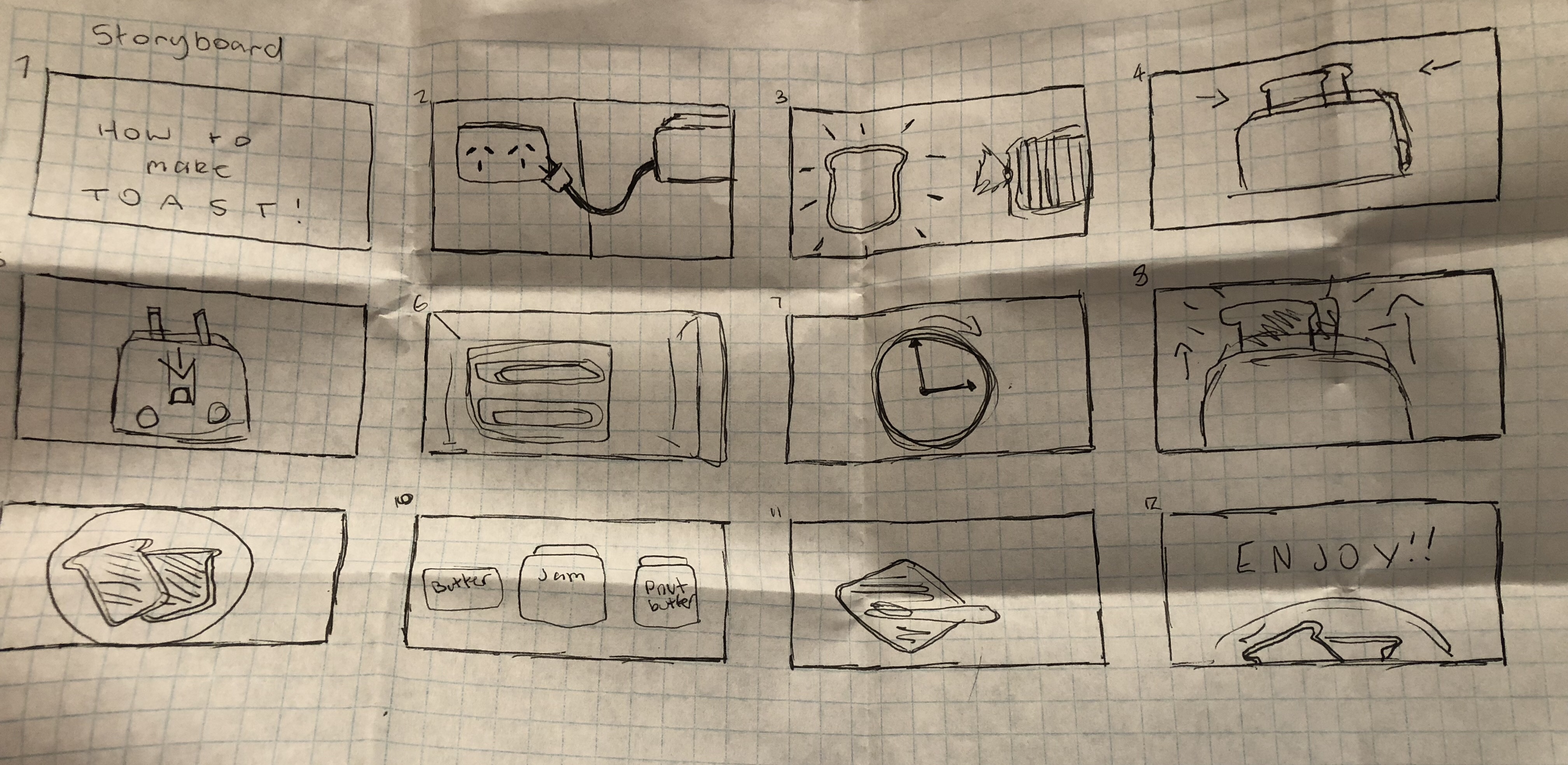
Storyboard Instructions