Week 4 – Instructional Design

Notes

  • How to “do something”, or to explain how something works.
  • Instructions are interacted with daily, etc ticket machines, parking machines or using dishwashers.
  • Poorly designed instructions make the experience infuriating for the user
  • Image design instructions are simple but not as helpful but gets rid of the language barrier.
  • Working memory refers to how we manipulate information stored in our short term memory, is a key executive function. It is limited.
  • Splitting information up will overload the memory and make reading the instructions overwhelming
  • Photography can often have too much detail and information to work well in instructions, it is hard to distinguish what is most important.
  • Simple graphics can highlight the most important details, colour often also helps with this.
Kinds of interaction (screen based experiences)

– instruction – by clicking buttons

– conversation – back and forth dialog

– manipulation – drag and drop elements

– exploration – open, playful, game like

Reflection

I learnt during this lecture that instructions are ingrained more in our life than I had previously thought and how the layout and style of illustration is able to completely change how our brain is able to process and retain the information, this also taught me how working memory works and that the process for designing instructions is much more in-depth and more important than it seems.
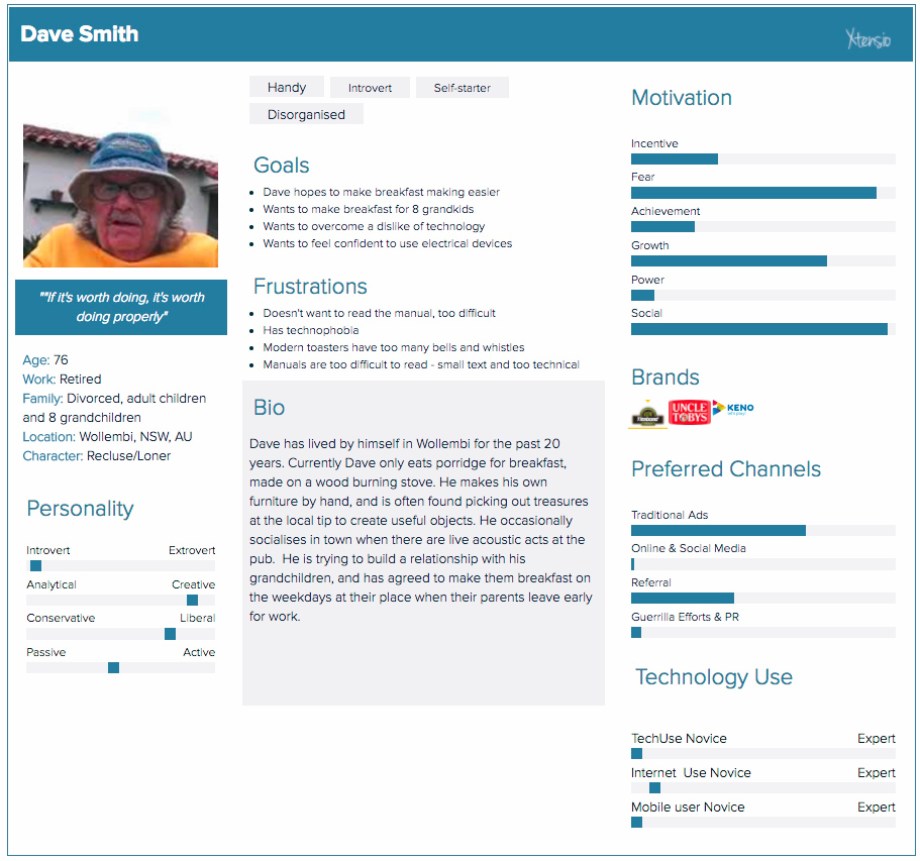
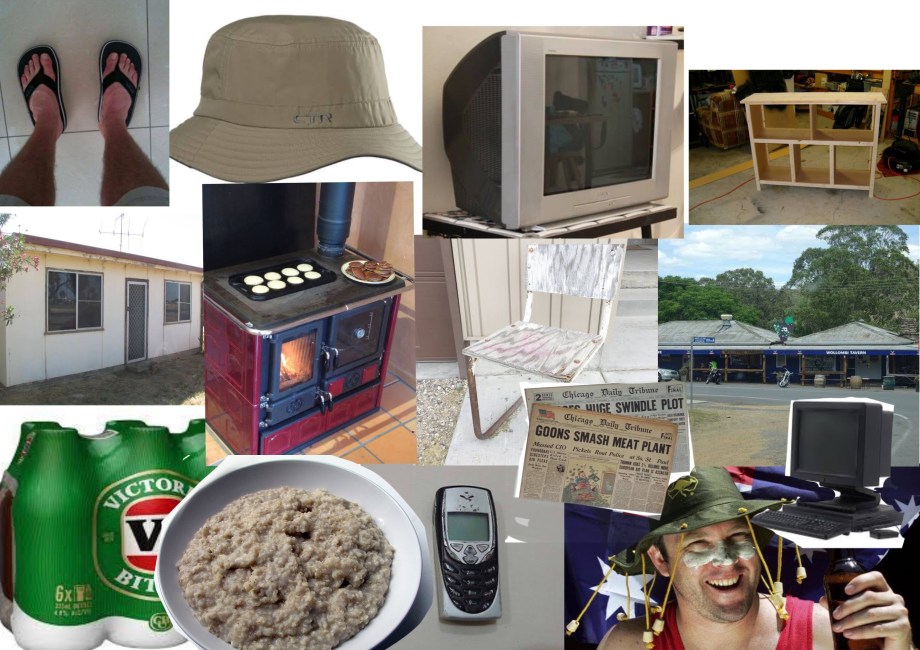
Personas

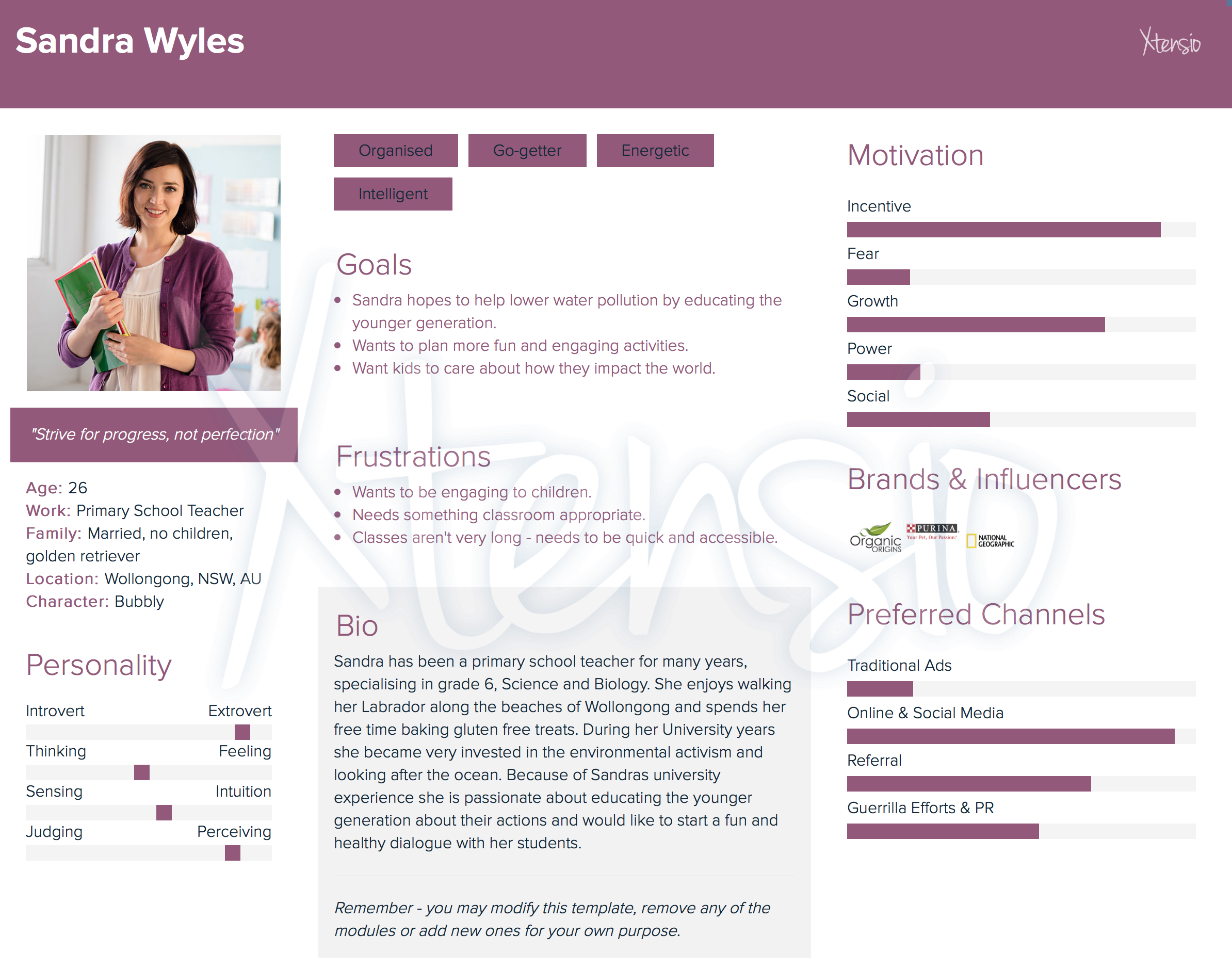
Sandra Wyles – Assignment persona and mood board

User Scenario – Sandra Wyles

Sandra is a high school teacher who became passionate about water pollution and protecting the ocean ever since she had joined an activist club in university, she wants her future children to grow up in a world with a clean ocean and marine life to experience and appreciate. She’s always looking for engaging ways to educate her geography classes so the future generations understand their impact and how this issue personally relates to them. Her research leads to a website full of poll questions that can be answered in an online ‘room’ so students are able to see other students answers through the teacher’s computer, this makes an environment that allows the students to actually consider and discuss how their actions personally effect the water pollution levels. Sandra likes this website because it allows for students to discuss their opinions and when the teacher chooses to reveal it the website gives back a response on how much their actions actually effect the ocean and leads to further resources where students can continue to learn more.

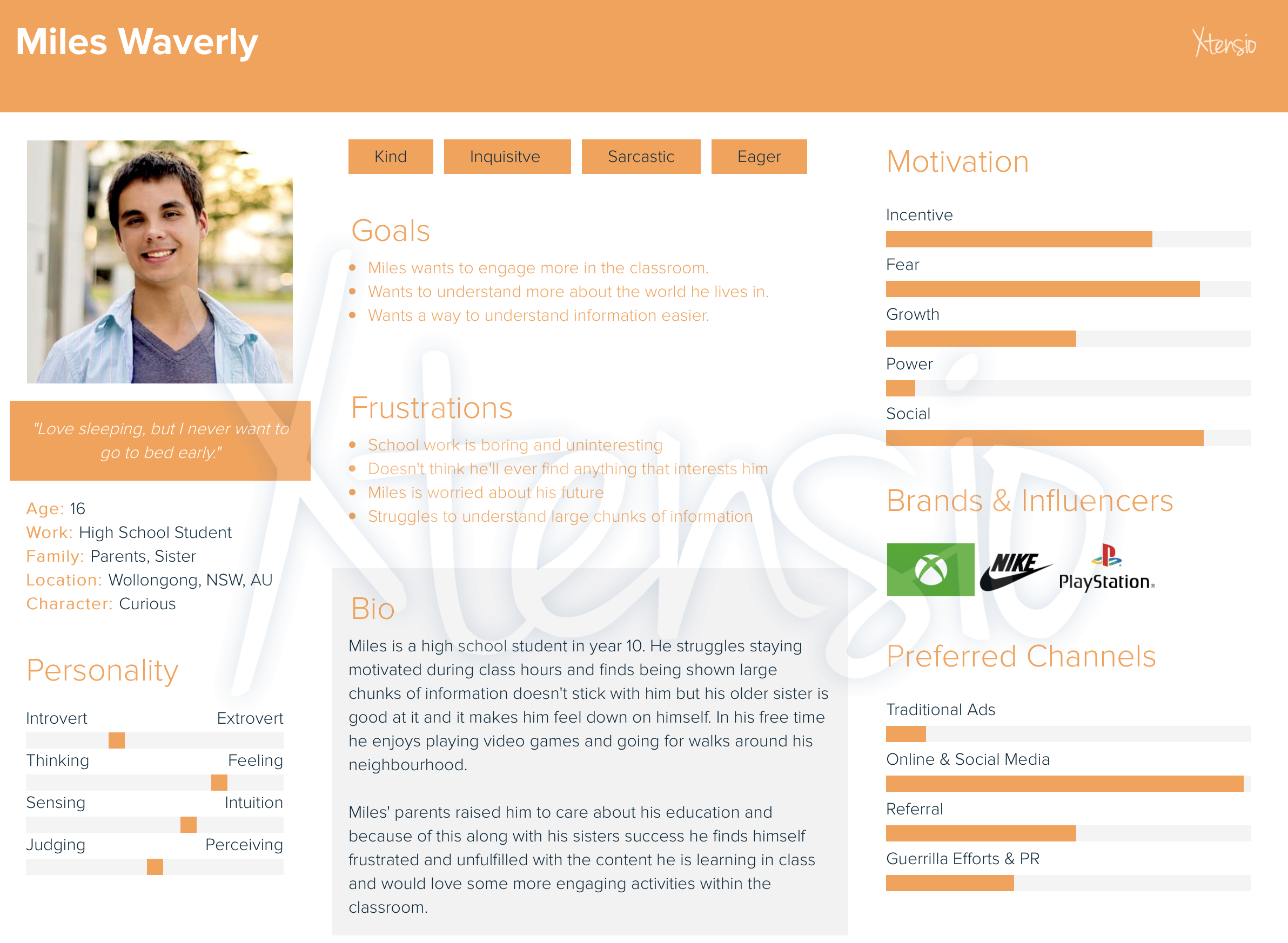
Miles Waverly – Secondary Persona

Week 3 – Design Patterns

During this lecture I learned that more and more, designers are being encouraged to begin their web designs with mobile first because it becomes difficult to make a large design for web and then scale it down so it is able to fit the mobile size. Another point I found interesting is how many websites nowadays are beginning to look similar to each other because of how web has evolved and how the viewer now uses the web, these changes end up causing designers to use a common interface pattern to suit the times.

The many type of design patterns include:

  • The hamburger menu: a button made up of three horizontal lines, usually placed at the top of the page.
  • Long/endless scroll: useful for not breaking up information and is better for storytelling.
  • Card layout: condensed webpage with cards showing content to the user that can be clicked on to receive more information. This is a popular design most notably showcased in places such as Instagram and Pinterest.
  • Responsive design: a design that moves with the size of the webpage.

Week 2 – Process + Context

Process

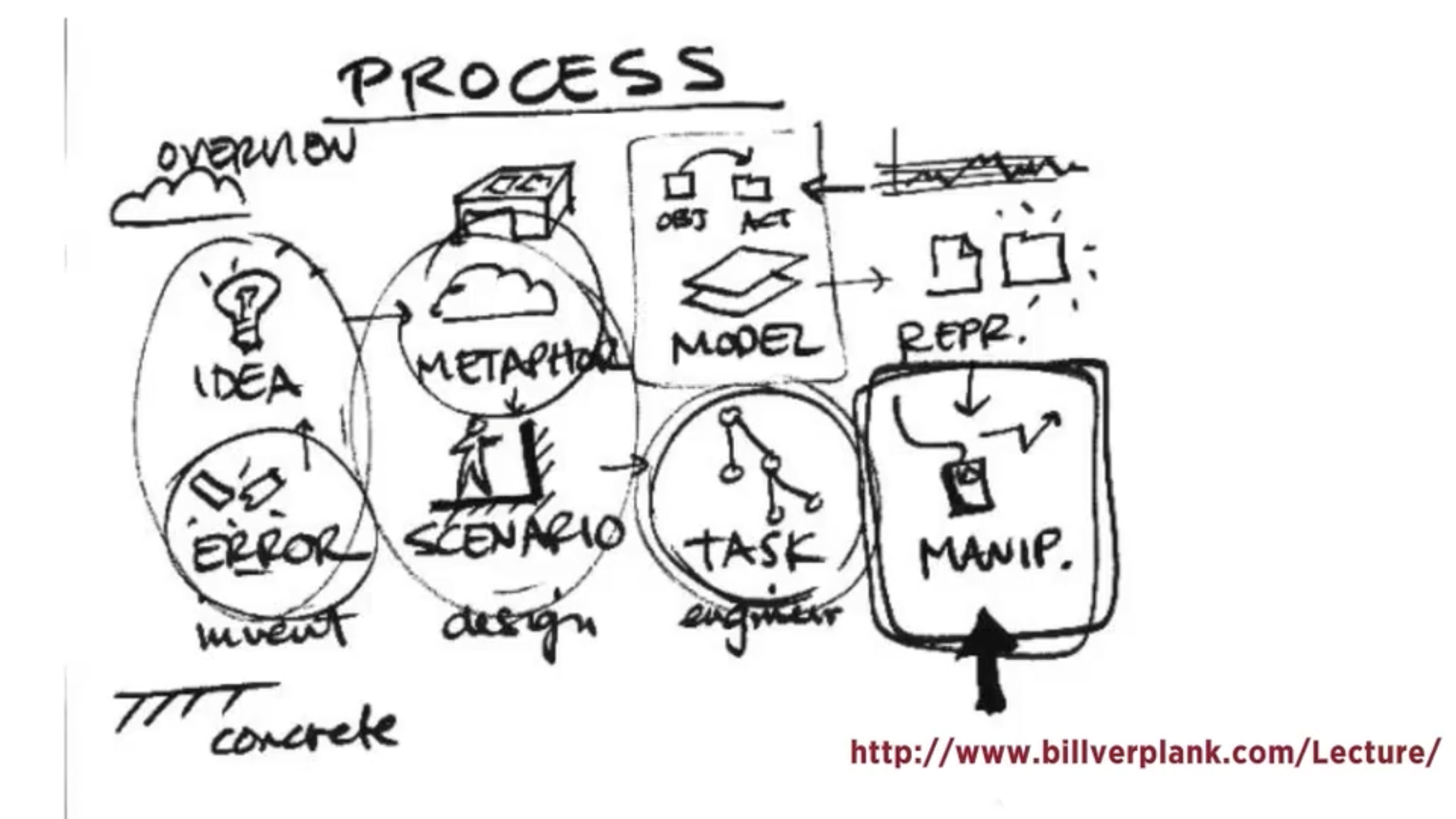
For process the lecture goes to show an 8 part process as depicted in the diagram provided

This process is used for the designer to go through the stages of inventing, designing and engineering their product.

During the design process low tech designed and ideas are extremely important; these are sketches and drawings that can be on anything from paper to sticky notes and they are used to begin fleshing out your ideas before anything goes onto a computer. Making clear digital prototypes will always be an extremely important step of an interactive design project but traditional sketching will always have its place in the process and combining the two leads to a better overall finished prototype.

Context

Context includes the context for use and the context of use when creating an interactive project.

As designers we need to be able to understand what people are trying to do, how they may try to do it, what gets in the way or helps and where they might be doing it. This pod gives examples for these processes and the different contexts for and of use and is then further explained how different design solutions could be used for the context scenario. This allows for interaction design solutions to facilitate their behaviour.

Week 1 – Introduction to Interactive Design

Lecture 1 – introduction to interactive design

– Interaction and interactive design from a broad perspective

– Button, links, form fields etc are a part of interaction design

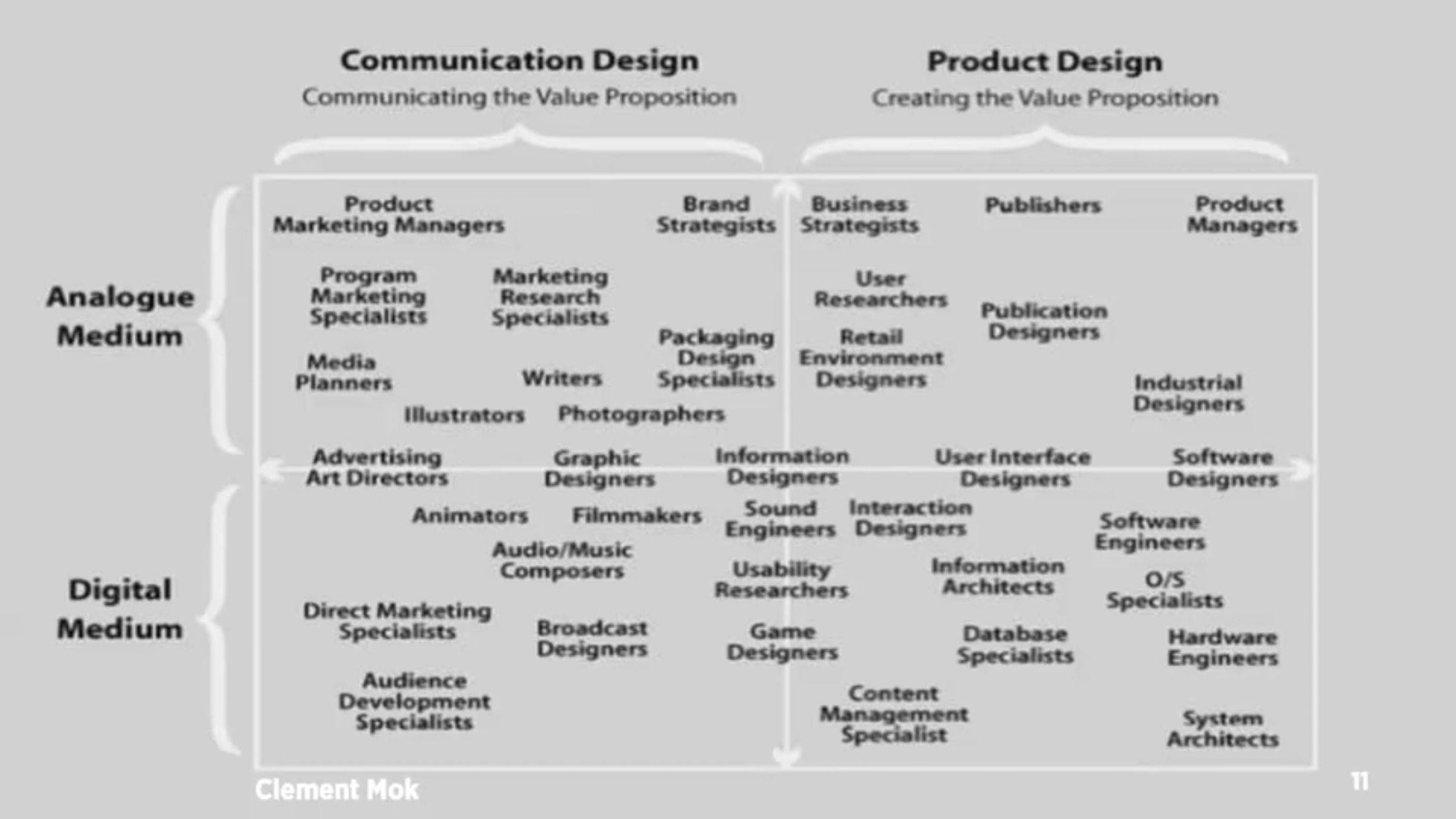
– Graphic designers should be able to perform basic interaction design for clients

– Key questions of designing interaction for users: how to you do, feel and know

– Perception on screen and not are vastly different from each other.

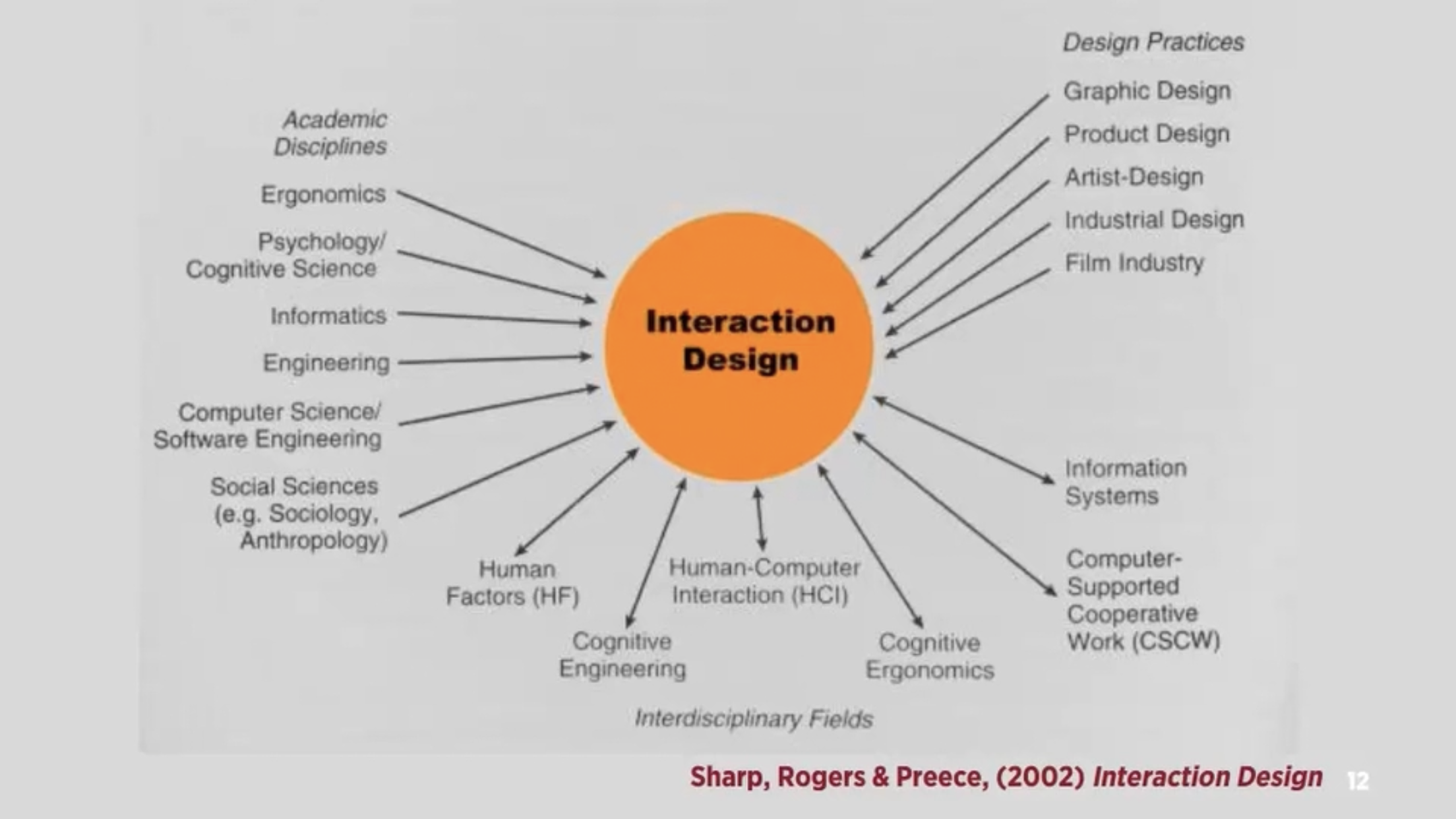
– Interaction design: “designing interactive products to support people in their everyday and working lives” – sharp, Rogers and Preece

”the design of spaces for human communication and interaction” – winograd

Interactivity

How we think of the word

– Of or relating to a program that respond to user activity (computer science)

– Working together so the total effect is greater than the sum (2 or more)

– Capable of acting on or influencing each other

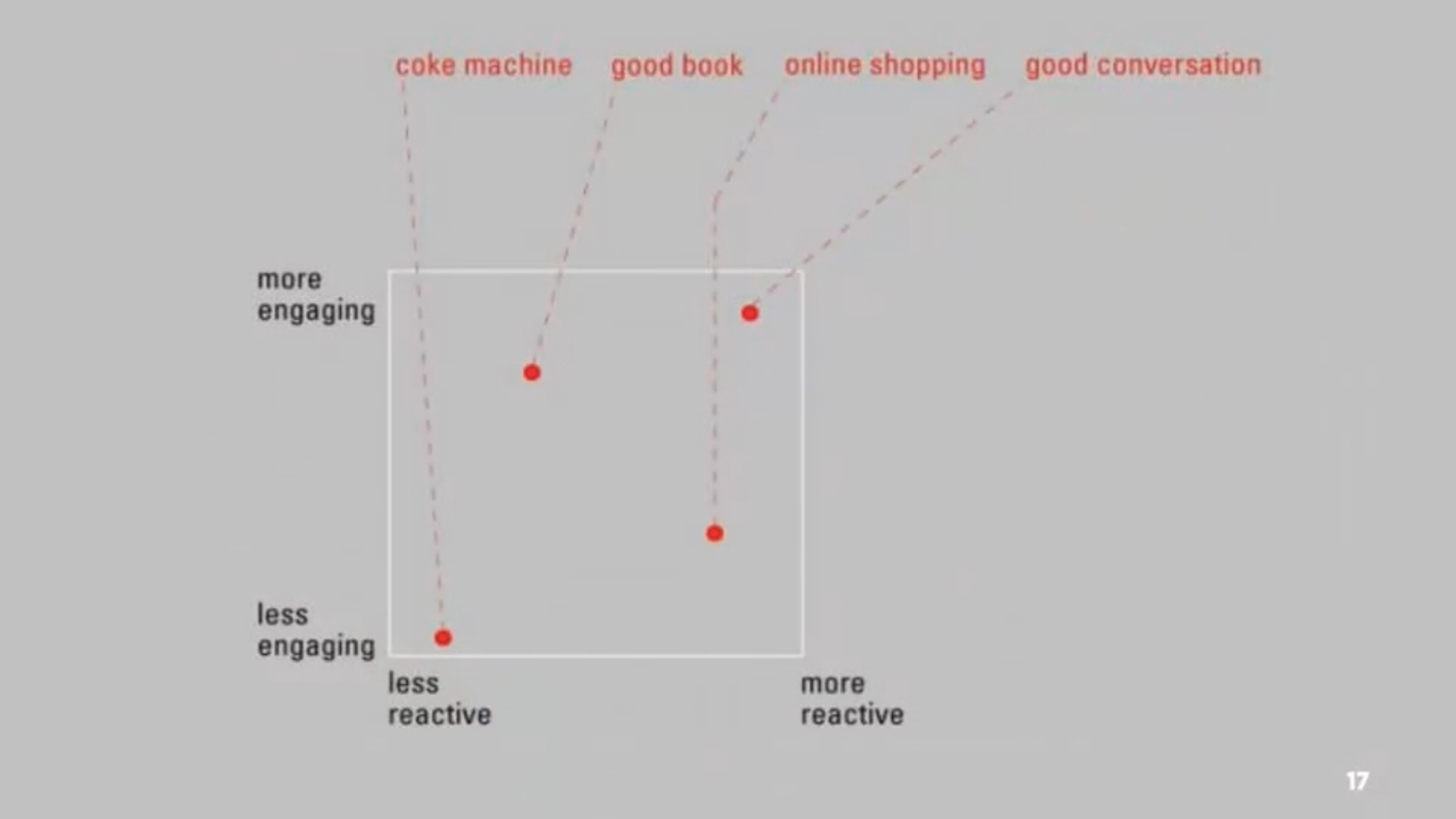
– Interactions can be vastly different from reading books, using vending machines and having conversations

– Diagram 3 – maps 4 different interactions with their ability to interact to us

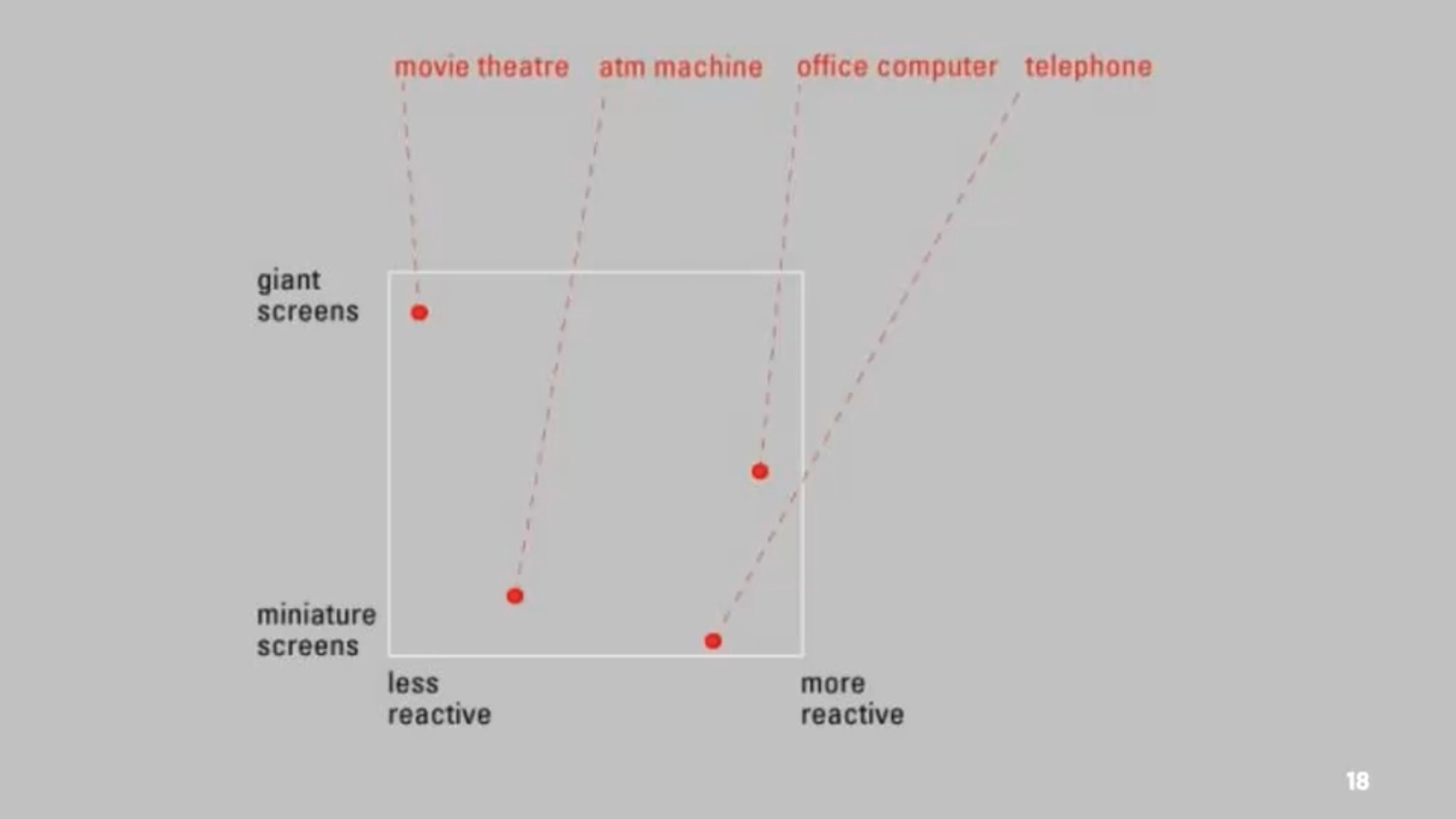
– Diagram 4 – different interactions and how screen size effects their ability to interact with us

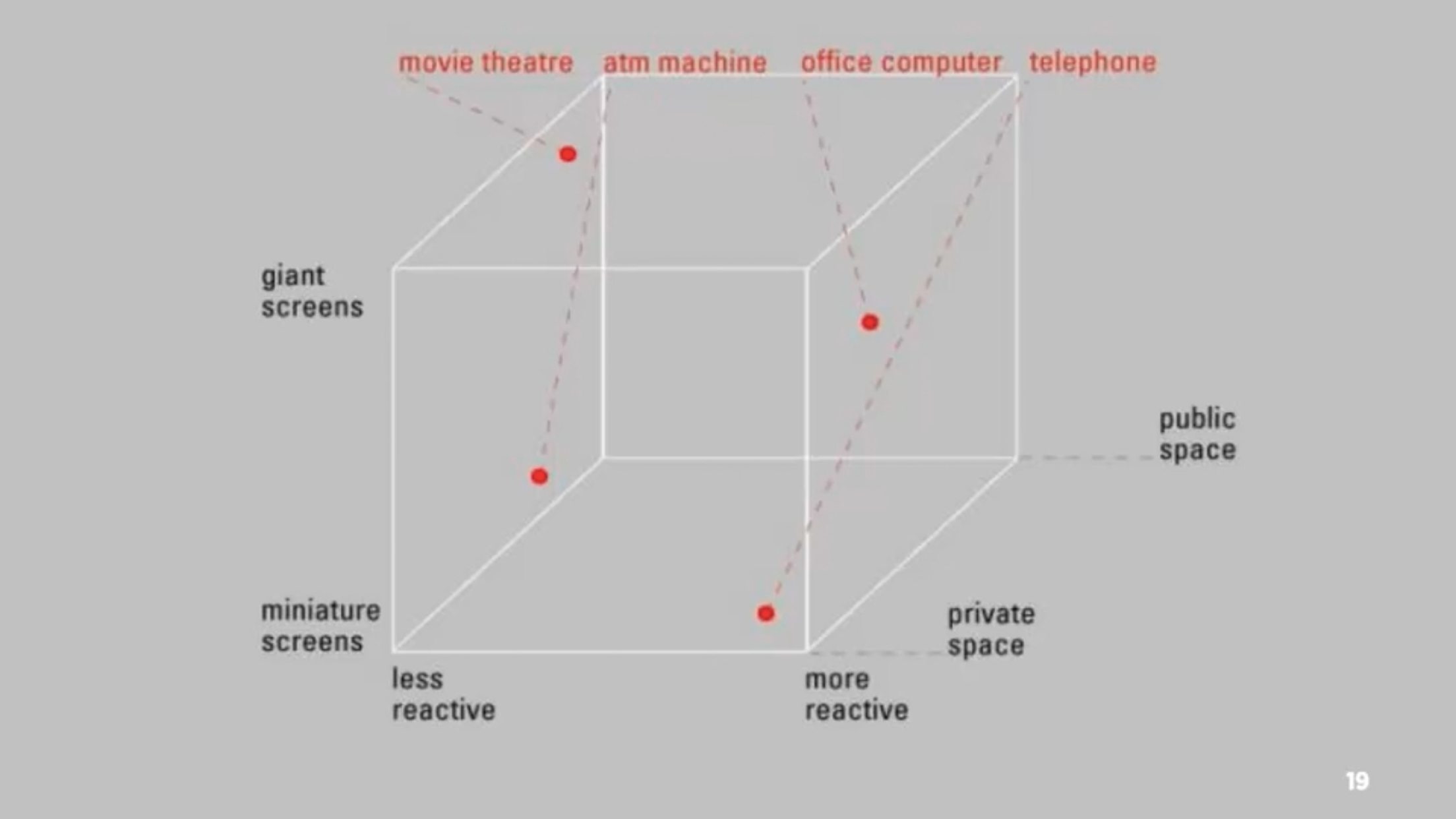
– Diagram 5 – adding public and private space to the previous diagram

– Many movies create amazing passive experiences but have little to no interactivity, whereas things such as stories or games allows for interactivity when the player progresses

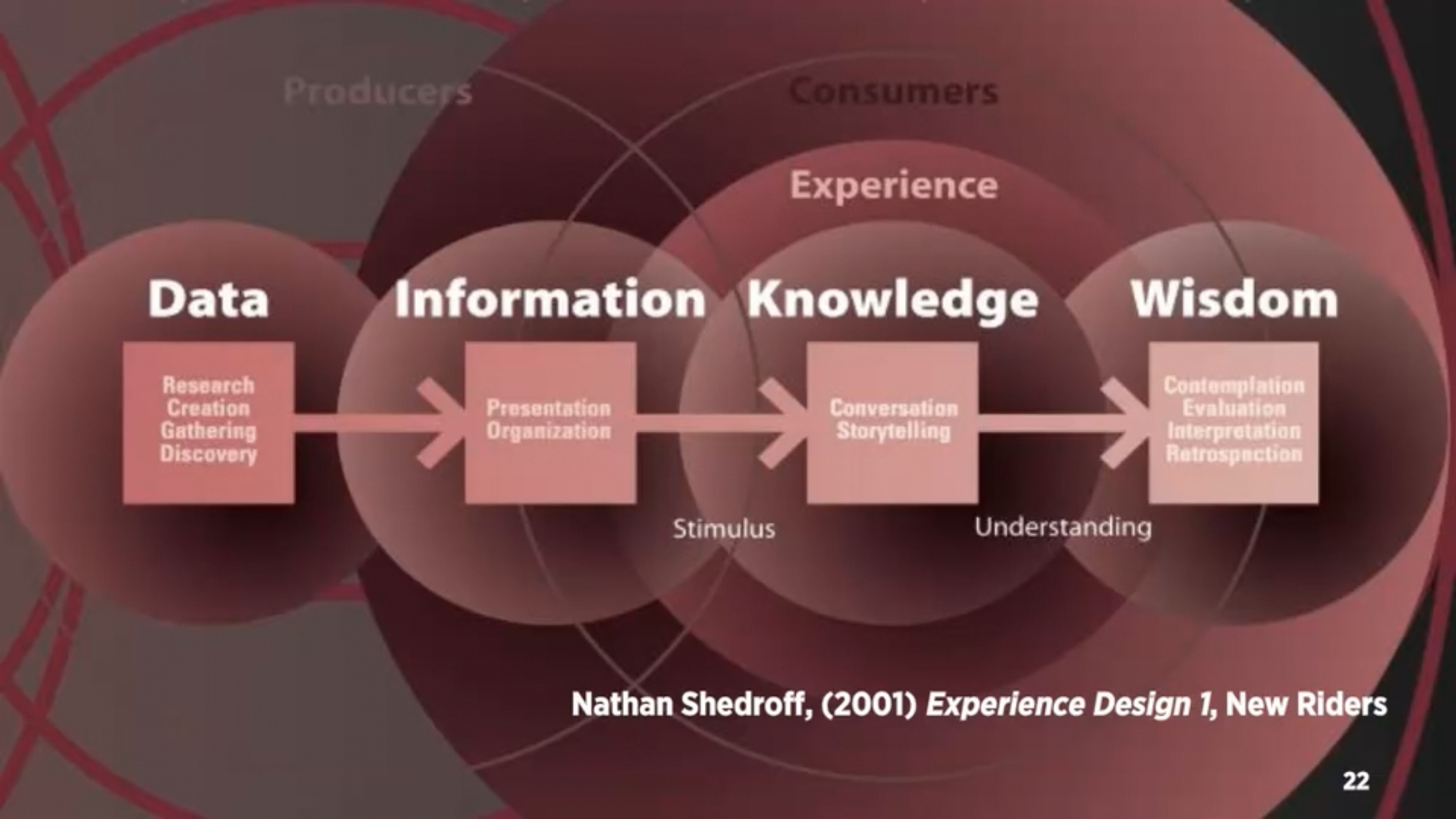
– Diagram 6 – experience design

– Data becomes meaningful information when it is organised and presented

– Must first understand your audience, what their needs and expectations are before you are able to create meaningful experiences

– Interactive media is not about information, it’s about experience. But to create these experiences we need to understand the information and structure.

– Five key design areas of interaction design: interactivity, information architecture, time and motion, narrative, interface

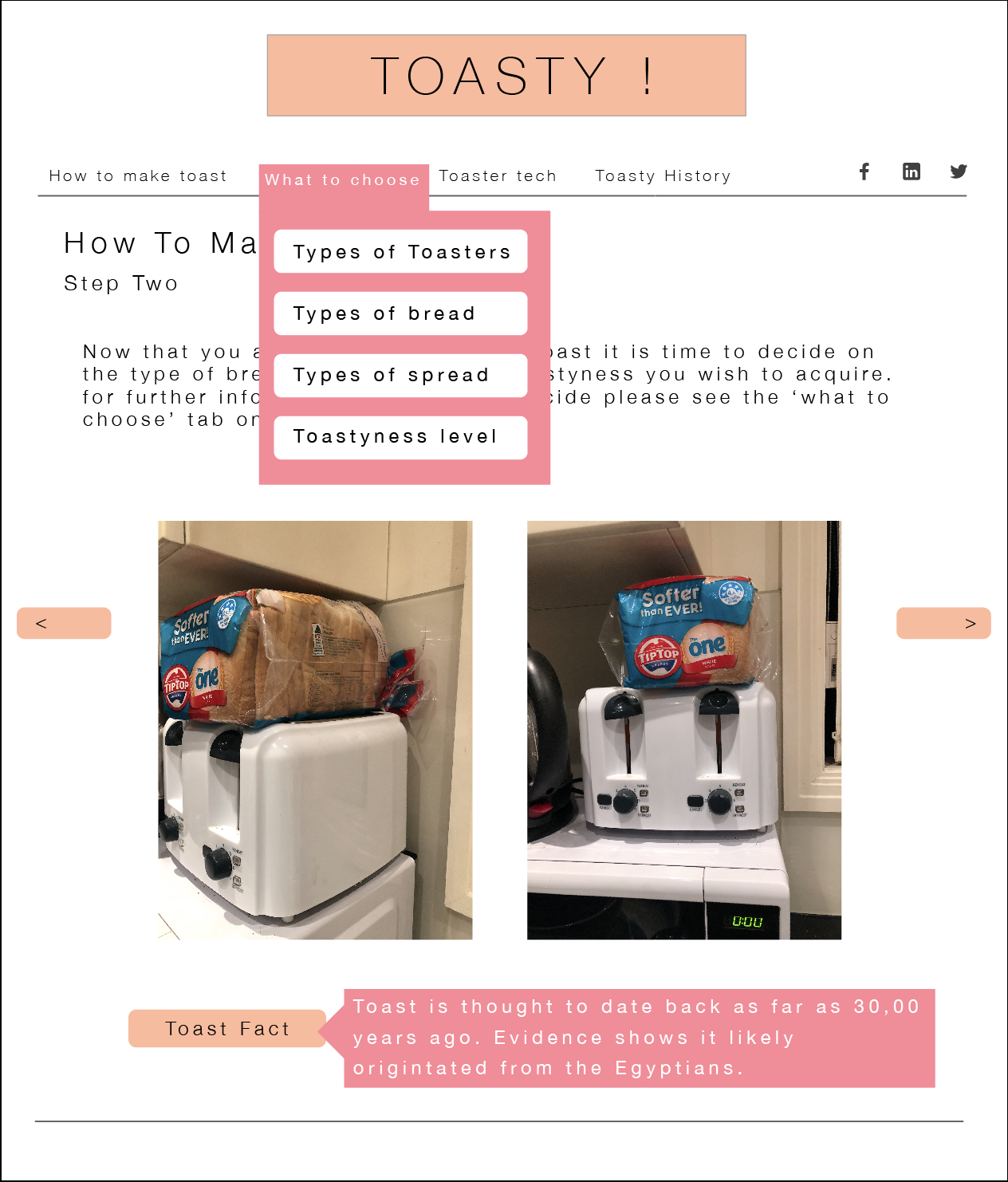
How to make toast

Text Instructions

  • Plug toaster in.
  • Grab slice(s) of bread.
  • Put bread in toaster.
  • Twist toaster dial for desired darkness.
  • Push down the lever to lower bread into the toaster.
  • Wait for toaster to spring up toast.
  • Check to make sure toast is correct toastyness.
  • If it is toasty enough continue onto next steps or repeat previous steps.
  • Place freshly made toast on a plate.
  • Add your choice of topping.

Flowchart Instructions

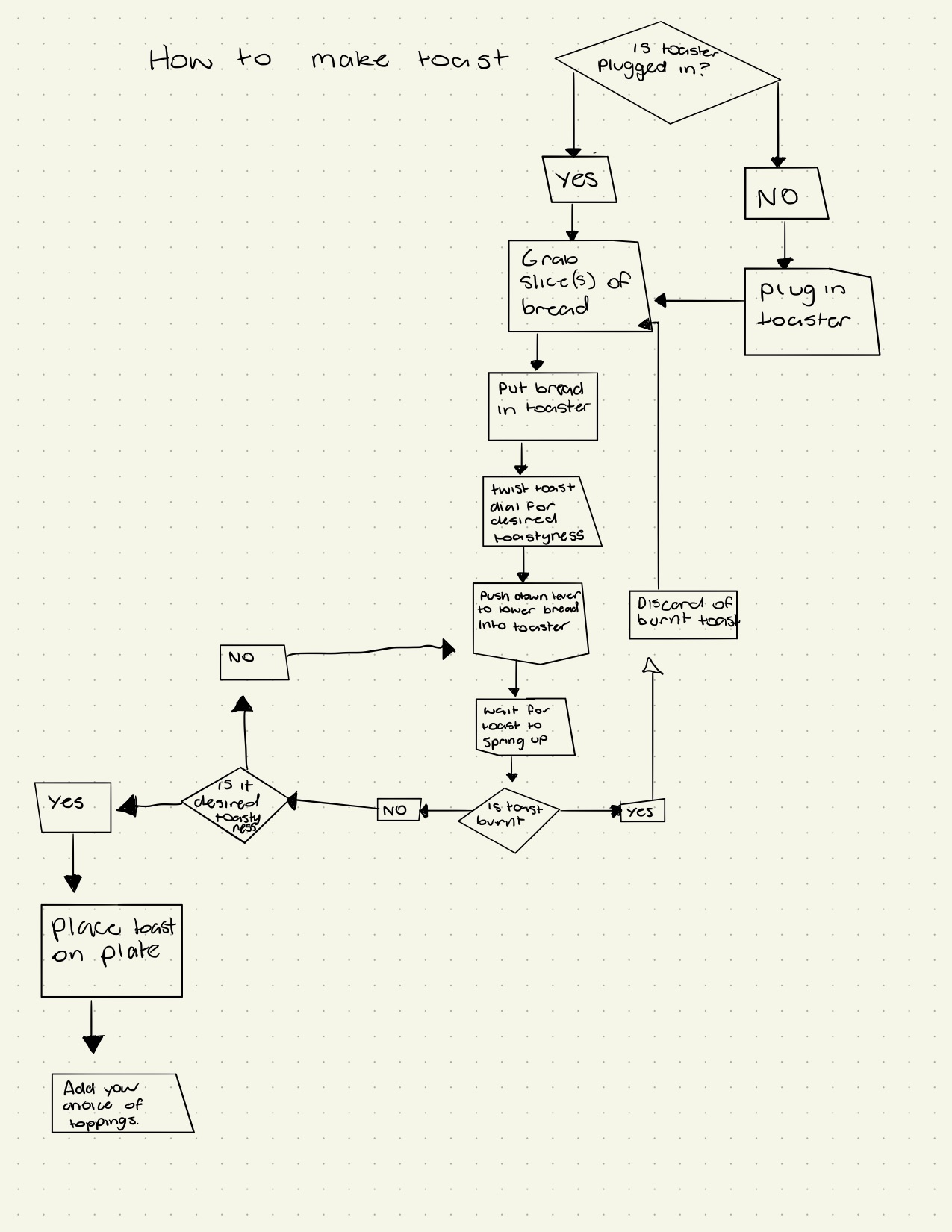
A flowchart going through the steps on how to make toast.

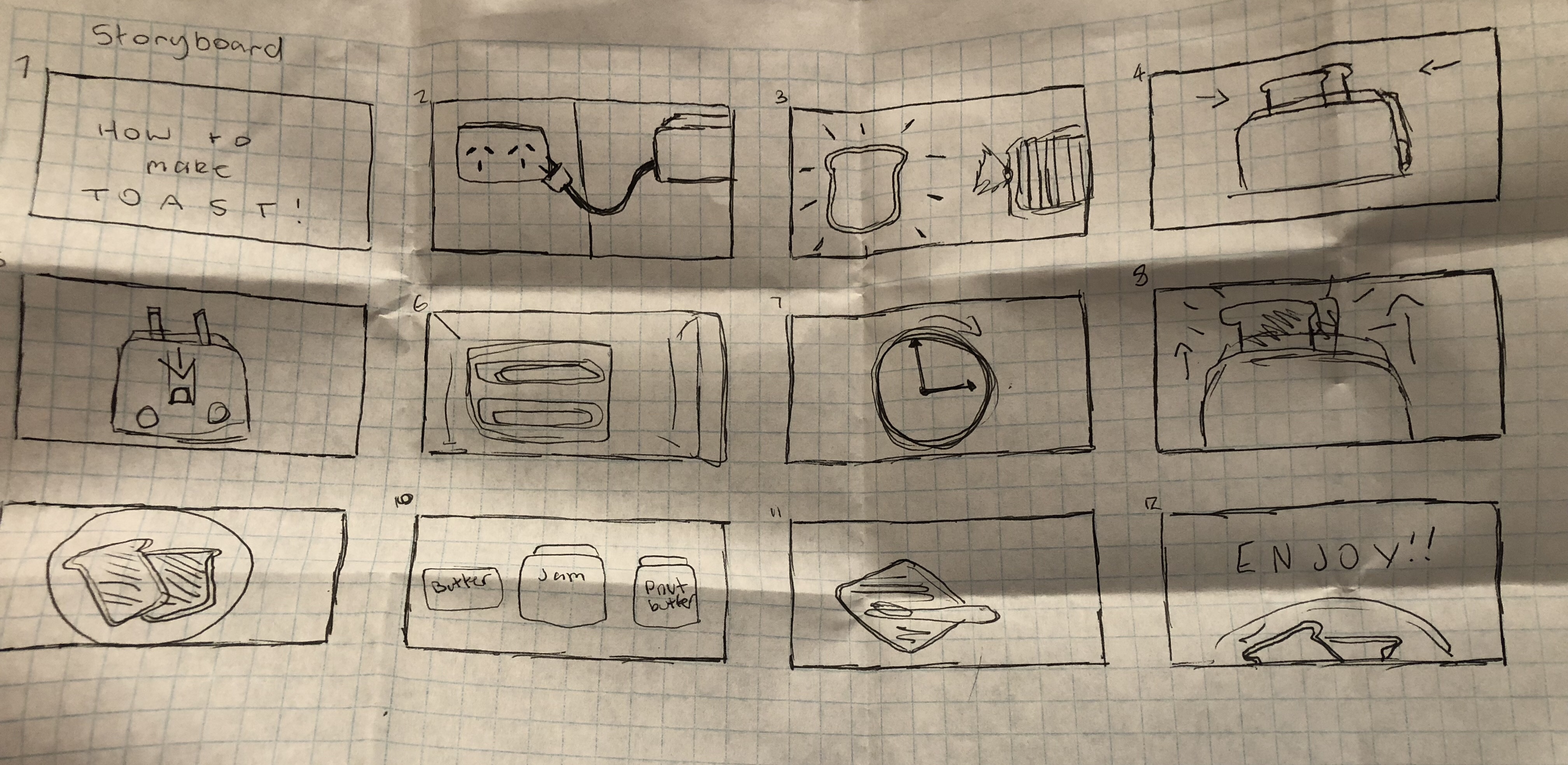
Storyboard Instructions